


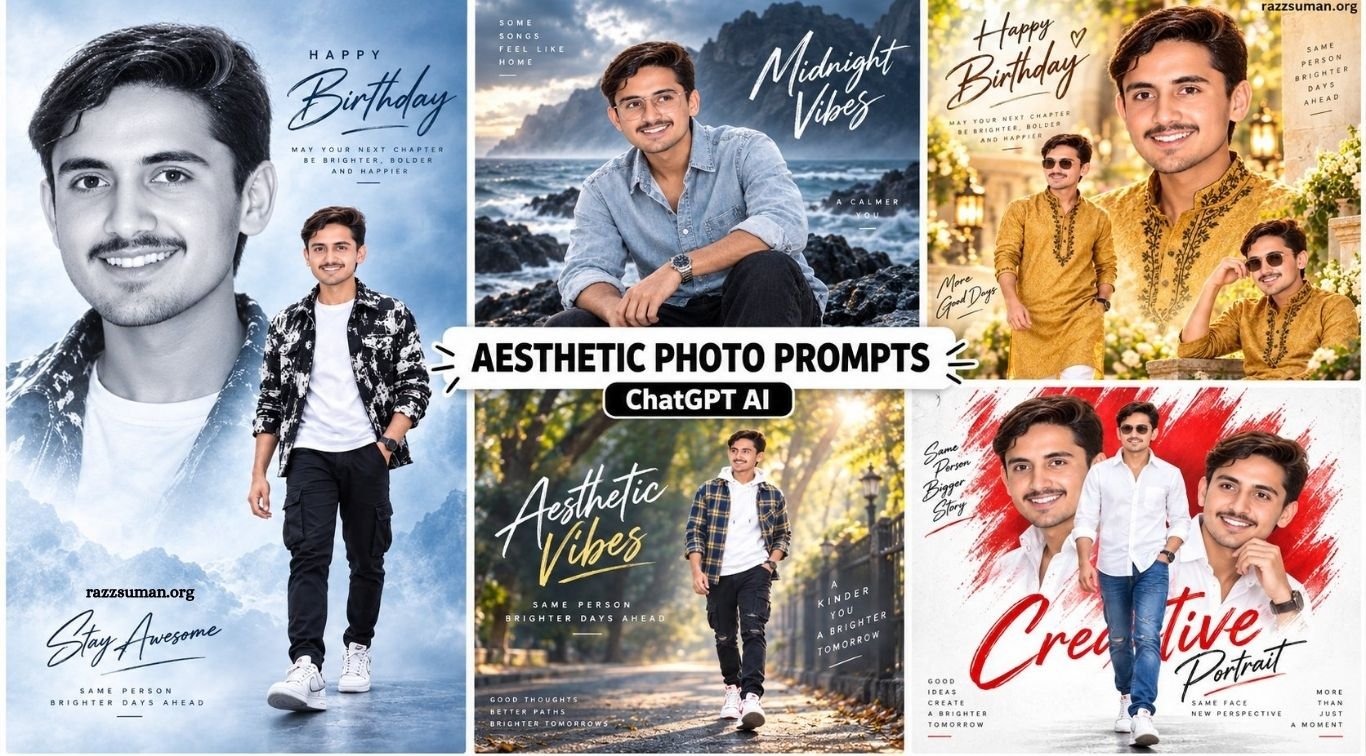
AI photo editing has become one of the biggest visual trends on Instagram, Facebook, and other social platforms. Instead of spending hours creating complex designs in professional editing software, creators can now transform a simple portrait into an aesthetic poster, cinematic collage, birthday design, or luxury social-media edit with a carefully written AI prompt.
ChatGPT image generation and similar AI tools make this process much easier for beginners. A clear portrait combined with detailed instructions about clothing, background, lighting, poses, colors, and composition can produce an impressive result within minutes. Below are several fresh aesthetic AI photo prompts inspired by popular Instagram editing styles.
Read More: Trending Kedarnath Trip AI Photo Editing Prompts for Google Gemini
Complete Guide to Instagram Viral Aesthetic AI Photo Editing
Aesthetic AI editing focuses on creating a premium visual appearance instead of simply improving brightness or colors. These edits often combine multiple portraits of the same person, cinematic backgrounds, professional lighting, soft blur, artistic textures, typography, and carefully selected outfits. Double-exposure and collage compositions are especially useful for creating Instagram posters.
The quality of the final result depends heavily on both the uploaded photograph and the instructions included in the prompt. Details such as facial resemblance, hairstyle, pose, clothing, camera angle, background atmosphere, lighting direction, depth of field, and portrait ratio help the AI understand exactly what type of image you want.
What to Keep in Mind to Take the Perfect Photo
Creating stunning aesthetic photos with AI starts with choosing the right original image. A clear, high-quality photo with a well-visible face gives AI better details to work with and usually produces more realistic results. Good lighting is equally important, so choose a photo with balanced, natural lighting whenever possible. Your pose and facial expression also play a major role in the final appearance. A natural pose, confident look, or subtle smile can make the image feel more attractive and authentic. Your outfit, background, hairstyle, accessories, and overall color combination can further improve the final result.
Trendy clothing and well-matched colors can add a stylish touch, while a simple, clean, or slightly blurred background allows AI to focus more effectively on the subject. When taking the original photo, plain backgrounds such as white or other solid colors can work particularly well. The camera angle and composition should also match the type of image you want to create. Finally, the quality of your AI prompt is essential because the generated image depends heavily on the details and instructions you provide. A clear, specific, and well-structured prompt can help AI create a more professional, realistic, and visually appealing photo.
Instagram Viral Aesthetic Prompts
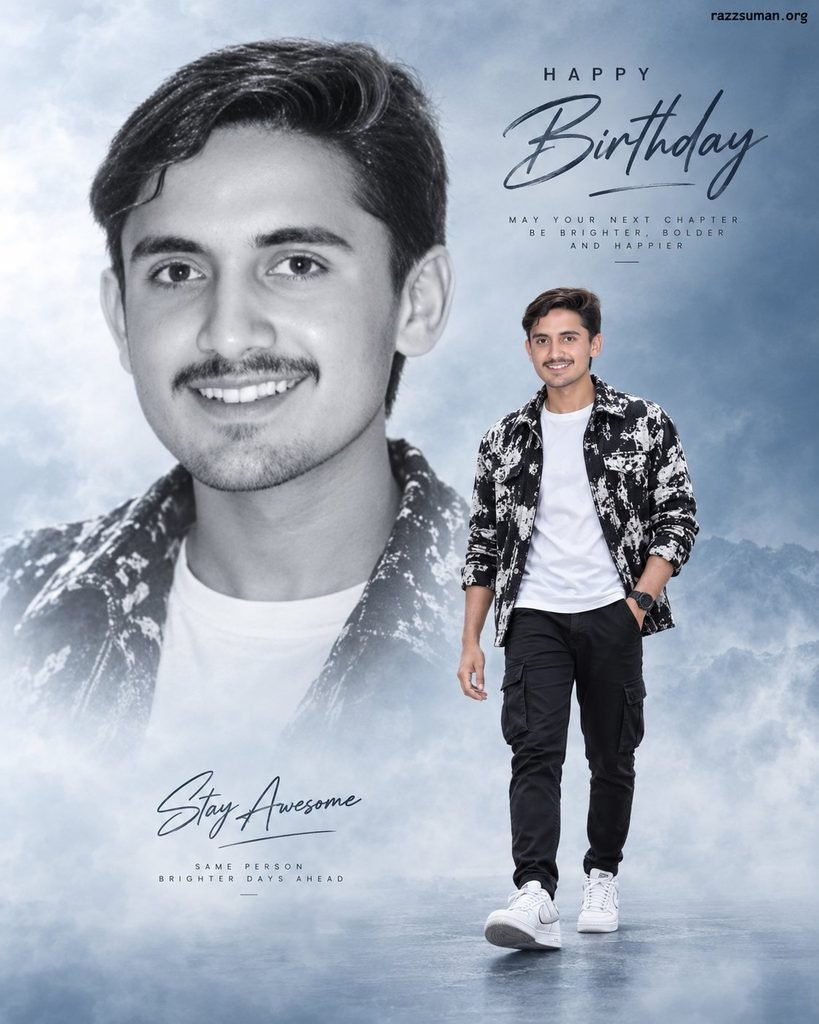
Create an ultra-realistic vertical birthday poster using the uploaded person as the facial reference. Keep strong facial resemblance, realistic skin texture, natural hairstyle, and a confident, soft expression. Create a large monochrome close-up portrait in the background and a smaller full-body walking pose in the foreground. Dress the subject in a premium black-and-white streetwear jacket, plain white T-shirt, black cargo trousers, stylish sneakers, and a wristwatch. Use a soft blue-grey cinematic background, subtle fog, shallow depth of field, and professional studio lighting. Add elegant handwritten “Happy Birthday” typography and customizable name text. Premium Instagram poster, DSLR quality, 4K details, 4:5 portrait ratio.
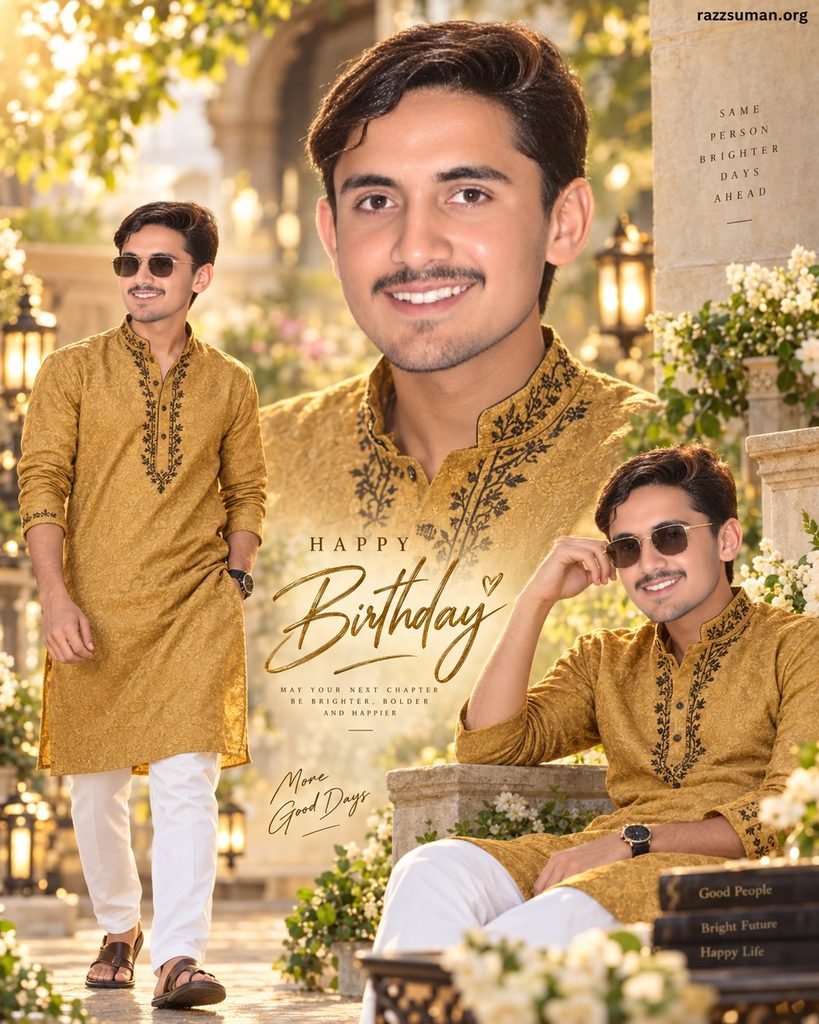
Create a luxury cinematic birthday collage of the uploaded person with accurate facial features and natural skin detail. Show one large close-up portrait in the upper center, one standing pose on the left, and one relaxed seated pose on the lower right. Dress the subject in a mustard-gold embroidered kurta with elegant black detailing, white trousers, premium sandals, a ssmartwatchh nd lightly tinted sunglasses. Place the subject inside a beautiful luxury garden with decorative lamps, warm sunlight, flowers, creamy bokeh, and golden cinematic grading. Add elegant birthday typography with a customizable name. Highly realistic photography, DSLR depth, natural shadows, premium editorial quality, 4:5 ratio.
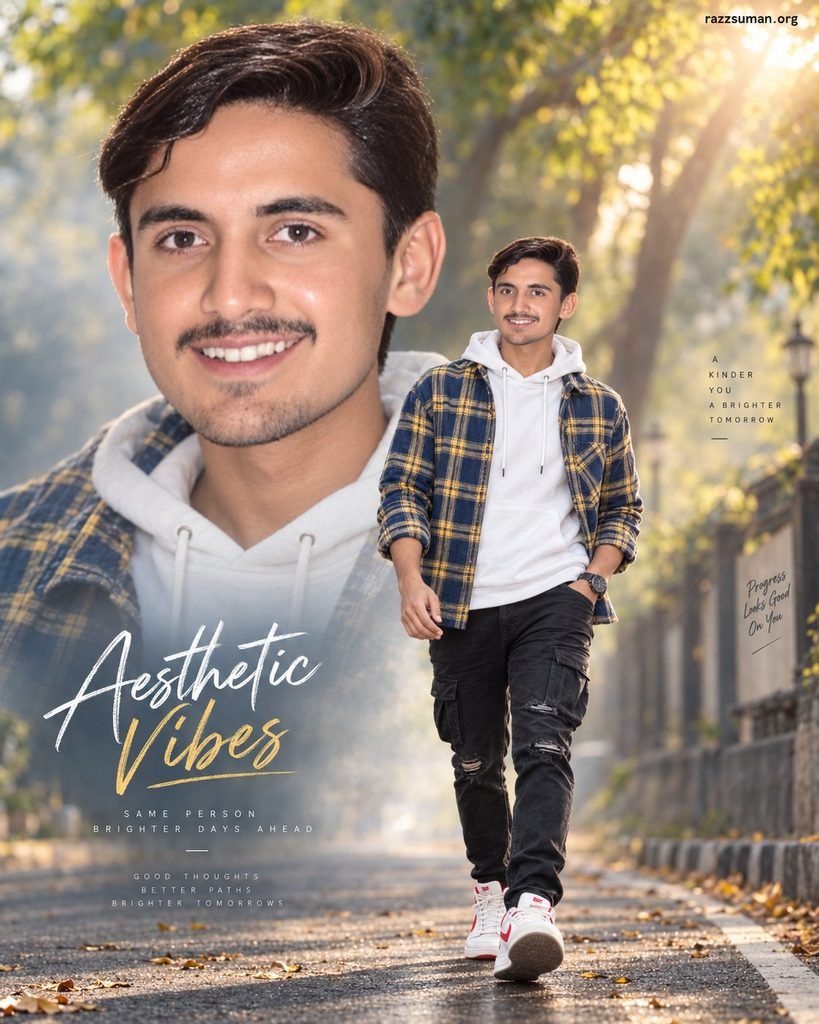
Generate an ultra-realistic cinematic double-exposure portrait using the uploaded image as the exact facial reference. Place a large close-up portrait across the upper half and a full-body walking pose below. Give the subject textured dark hair, a light beard, modern sunglasses, and a relaxed,d confident expression. Dress him in a blue-and-yellow checked overshirt layered over a white hoodie, black distressed jeans, red sneakers, and a wristwatch. Create a beautiful tree-lined avenue with warm sunlight passing through green leaves, natural depth of field, subtle lens bokeh, and cinematic color grading. Preserve realistic proportions, sharp facial details,s and natural shadows. Instagram aesthetic poster, 4K DSLR look, vertical composition.
Aesthetic Photo Prompts
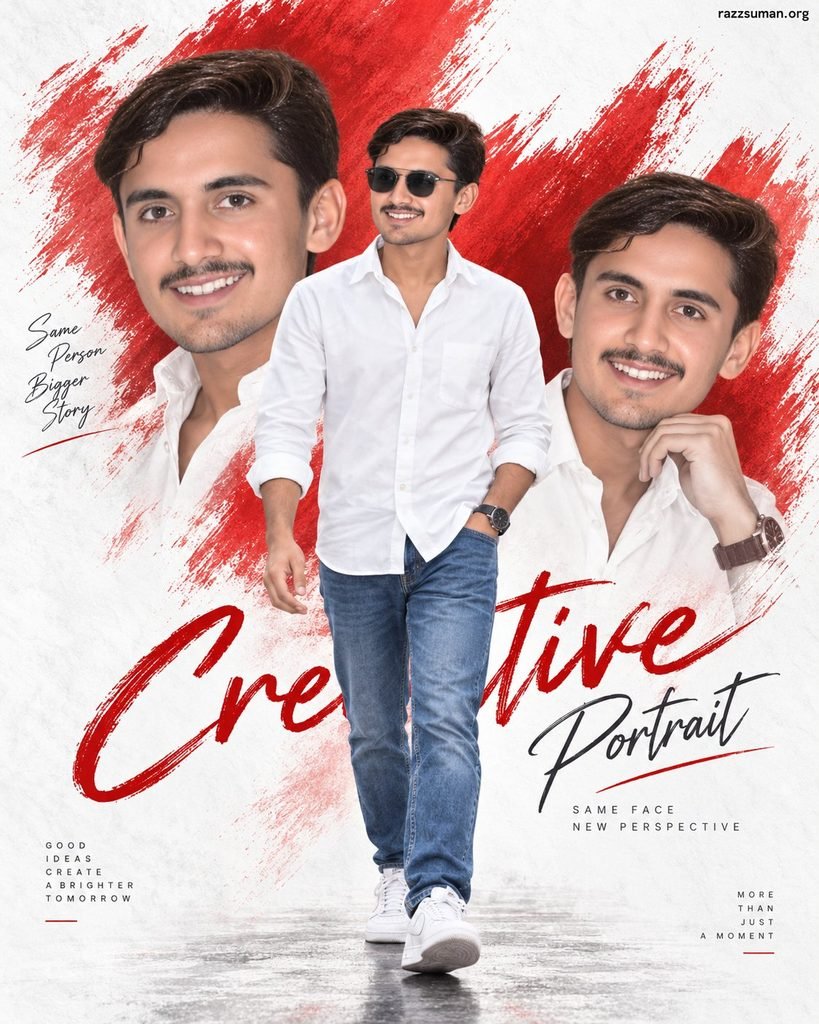
Design a premium aesthetic portrait poster using the uploaded person’s face with high resemblance. Place a central full-body walking pose wearing a clean white long-sleeve shirt, blue jeans, white sneakers, and modern sunglasses. Add two artistic side-profile portraits on the left and right with matching facial features and hairstyle. Use a textured white studio background with bold red paintbrush strokes, subtle red gradient splashes, and soft shadows. Add stylish handwritten name typography at the top with smaller “Happy Birthday” text underneath. Keep the overall design minimal, fashionable, and realistic. Professional poster photography, sharp facial details, high resolution, 9:16 vertical ratio.
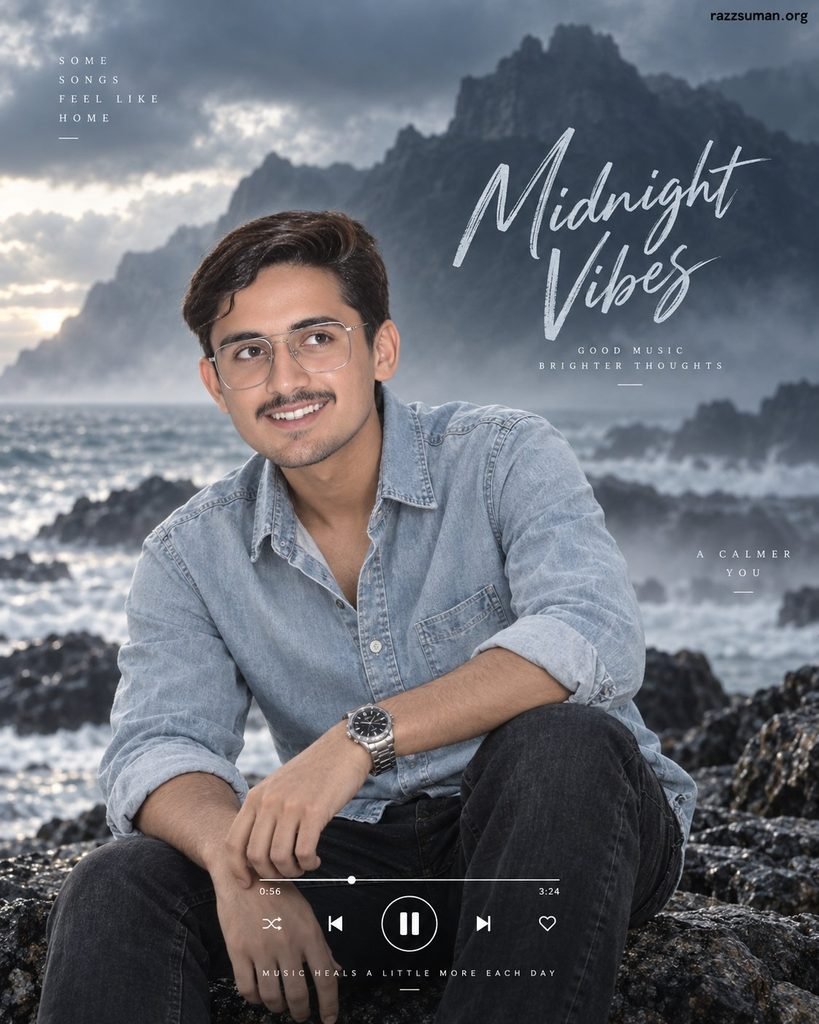
Create an ultra-realistic cinematic music-poster portrait using the uploaded person as the facial reference. Place him near a misty ocean shoreline surrounded by dramatic dark mountains, rocky terrain, and heavy cinematic clouds. Give him textured natural hair, a light beard, silver oversized eyeglasses, and a subtle ear stud. Dress him in a light denim button-up shirt with a slightly open collar, charcoal-grey jeans, and a premium wristwatch. Pose him looking sideways with a calm,m emotional expression. Add atmospheric fog, soft diffused lighting, realistic skin texture, shallow depth of field, nd cinematic cool-tone grading. Include melegantname typography and subtle music-player elements near the bottom. High-end editorial photography, 4K, vertical Instagram poster.
How to Create Instagram Aesthetic Photos With ChatGPT
The process is simple. Open ChatGPT, select its image-creation feature, upload a clear photograph, and paste one of the prompts above. You can replace details such as the name, clothing color, background, birthday text, accessories, or image ratio according to your preferred design.
If the first output is not perfect, refine it rather than starting completely again. Ask the AI to preserve the face more accurately, improve hands, change typography, modify clothing, or increase realism while retaining the previous composition.
- Upload your clear reference photograph.
- Copy your preferred prompt.
- Paste it into ChatGPT image creation.
- Generate the first version.
- Request small corrections where needed.
- Create the final high-resolution version.
Frequently Asked Questions
What are Instagram viral aesthetic AI photo editing prompts?
They are detailed AI instructions used to create stylish, cinematic, and social-media-ready photos from uploaded images.
Can I use ChatGPT AI for aesthetic photo editing?
Yes, ChatGPT AI can generate and edit aesthetic images when you provide a clear photo and detailed prompt.
Which photo works best for AI editing?
A clear, high-resolution portrait with good lighting and a visible face usually gives the best results.
Can I keep my original face in AI-generated photos?
Yes, using a strong reference image and asking for accurate facial resemblance can help preserve your appearance.
Are these AI photo prompts free to use?
Yes, the prompts themselves are free, although image-generation availability may depend on the AI platform you use.
Which image ratio is best for Instagram aesthetic photos?
A 4:5 ratio works well for Instagram posts, while 9:16 is better for Stories and Reels covers.
Conclusion
New Instagram viral aesthetic AI photo editing prompts make it easier to turn simple portraits into stylish, cinematic, and professional-looking social media images. With ChatGPT AI, users can experiment with birthday posters, double-exposure edits, luxury portraits, creative brush designs, and moody cinematic themes without needing advanced editing skills. For better results, always use a clear reference photo and provide detailed instructions about clothing, lighting, background, pose, and image style. Small prompt adjustments can greatly improve facial resemblance and overall quality.

1 Comment
Pingback: ChatGPT Aesthetic AI Photo Editing Prompts | Best Aesthetic Prompts - razzsuman.org