


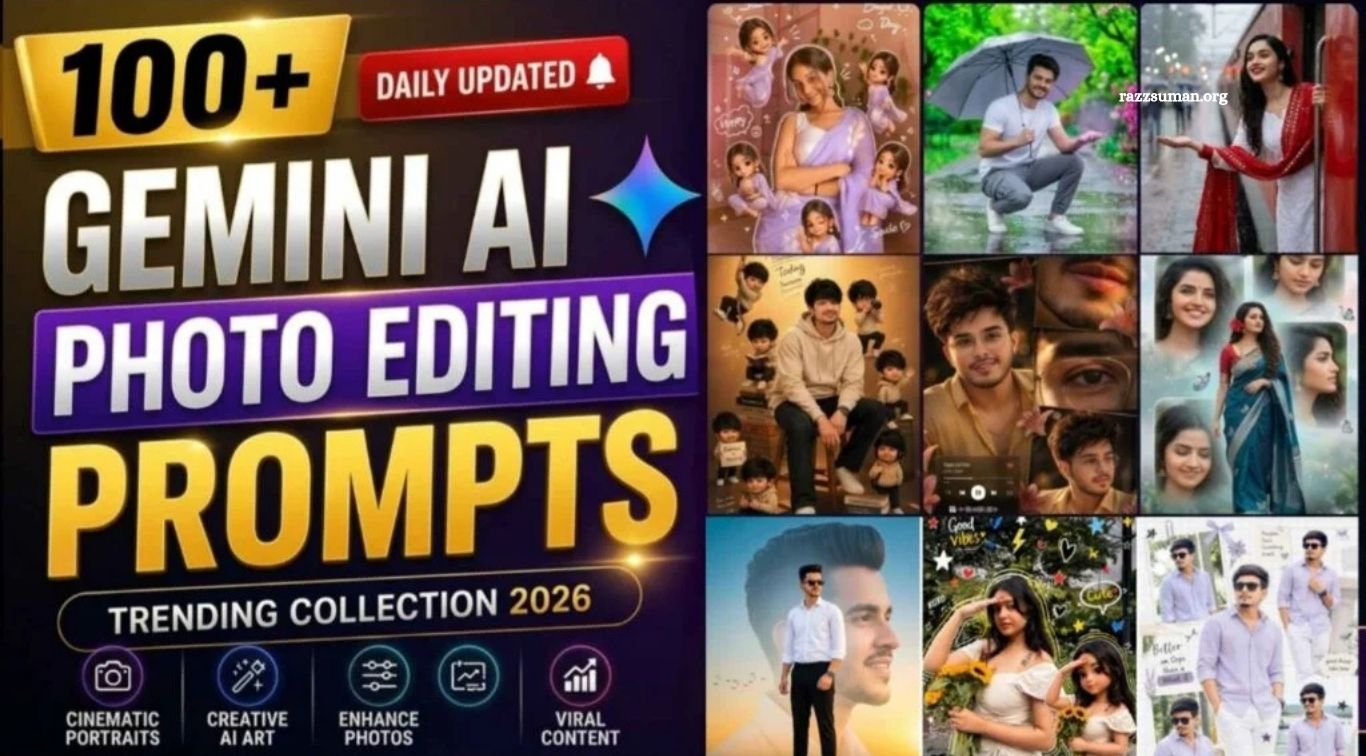
ChatGPT & Gemini AI Editing Prompts – AI photo editing has become a major trend on Instagram, with new styles appearing every day. Tools like ChatGPT and Google Gemini are helping users create creative and eye-catching images, including collage edits, butterfly effects, couple photos, crayon-style portraits, and other viral designs.
Creating these AI images usually requires a well-written prompt that clearly describes the desired style and details. This article brings together the latest Instagram-trending ChatGPT and Gemini AI editing prompts, with regular updates to help you easily create popular AI photos and explore new creative trends.
Read More: Trending Viral AI Photo Editing Prompts for ChatGPT & Gemini
Complete Guide to Viral ChatGPT & Gemini AI Editing Prompts
This guide features the latest viral AI editing prompts that you can easily copy and use to create creative photos with ChatGPT and Google Gemini. Each prompt is explained step by step and includes a reference image to help you understand the expected result and choose the right prompt for your desired style.
The prompts are designed for both beginners and experienced users, covering basic to advanced AI photo editing ideas. If a prompt does not produce the desired result on the first attempt, you can try it again with the same reference image. This article will be regularly updated with new Instagram AI trends, giving you a simple and practical resource for discovering and creating the latest viral AI photos.
AI Photo Editing Tips & Tricks for Viral Results
Creating an AI photo with a good prompt is only the first step. For better results on Instagram, follow current visual trends such as crayon-style portraits, creative collages, and cute couple aesthetics. Customize the prompt to match your preferred outfit, background, pose, colors, and overall style. Choosing the right Instagram format, especially 1:1 or 4:5, can also help your images display effectively in the feed. Terms such as “high resolution” and “ultra HD” can be added when you want a sharper, more detailed appearance.
For more consistent results, use a clear, high-quality reference photo where your face is clearly visible. Experiment with different prompts, poses, backgrounds, and editing styles instead of relying on one concept. Try new AI trends regularly, compare the results, and focus on creating original content that matches your audience and personal style. While no technique can guarantee that a post will go viral, consistent testing can help you discover what performs well.
Chatgpt & Gemini Ai Editing Prompts

Create an ultra-realistic cinematic close-up low-light portrait of a woman (the reference image given)sitting in complete darkness, illuminated only by a single burning red candle placed very close to the camera on the left side of the frame. The portrait is a close-up composition where both forearms are crossed horizontally in front of her face, hiding the lower half of her face so that only her eyes, eyebrows, and forehead are visible. She gazes directly into the camera with calm eyes. Both arms are filled with a stack of maroon, light pink, light green, and white glass bangles and hanging charm(ghungroo )bangles. Warm golden-brown complexion of skin, no makeup, only thin eyeliner on eyes with kajal on lower lash line.Lighting: one burning wax candle, dramatic chiaroscuro, deep black background. She’s wearing a golden zari work saree with a matching full-sleeve blouse with a sweetheart neck. She has long dark hair, loosely wavy, with a few sleek strands falling across the front. She has Large statement gold earrings.s 16:9 ratio.

Use A Real Face As A Reference Photo. The Background Is The Same As In The Photo. The Lighting Is Warmsoft, and clean, With Subtle Shadows. Around The Image Add Several Mini Chibi(3d Cute Style) Versions Of The Character, While Maintaining The Original Facial Features, Expressions: Jumping Cheerfully Waving Sitting Relaxed Holding A Drink Cute And Playful Expressions Add Hand-Drawn White Doodle Elements: Outline Around The Main Body Stars, Hearts, Sparkles, Motion Lines Small Cute Icons Add asthetic Handwriting Such As “Shine”, “Bright” Day, ”Happy”,” Smile”, Etc (Casual Doodle Font) Overall Style: Clean & asthetic Composition White Sticker Outline Soft Pastel Color Tone High Detail 3d Chibi Glossy Look Cute Korean Style Instagrammable
AI Photo Editing
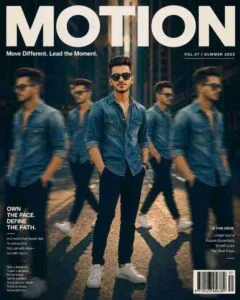
Ultra-realistic cinematic streetwear editorial poster of a young man in an urban setting wearing a slightly unbuttoned denim shirt, black trousers, white sneakers, and sunglasses, standing confidently in the center with four motion-blurred duplicate versions of himself walking around him, dramatic overhead lighting with deep shadows and long ground shadows, cool teal-orange color grading, 35mm low-angle shot with depth of field, and a luxury magazine layout featuring bold title “MOTION”, subtitle “Move Different. Lead the Moment.”, barcode, and clean editorial typography in 4:5 aspect ratio.
Trending AI Photo Prompts

“A high-quality 3D digital scrapbook collage of a beautiful Indian girl wearing a stylish shimmering pink saree and silver jhumka earrings. The collage features multiple poses of the same girl: some looking at the camera with a gentle smile, some holding a bouquet of pink flowers, and some candid side profiles. The background is a clean white grid paper texture, decorated with ‘Aesthetic’ elements like pink paper sticky notes with handwritten quotes (‘Blooming into my best version’, ‘College days’), pink butterflies, hand-drawn hearts, and pink floral stickers. The overall vibe is soft, feminine, and ‘coquette’ aesthetic with realistic cinematic lighting. The girl’s photo should not be in the frame.
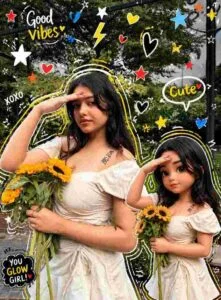
High-quality mixed-media portrait of a stylish person with a photorealistic look, accompanied by a matching 3D chibi version on the right mirroring the pose, same outfit, and face; add vibrant doodle overlays (white/yellow outlines, stars, hearts, sparkles, scribbles, electric accents in white, black, red, yellow, blue), blending realistic photography with colorful cartoon style while keeping facial features and proportions unchanged.
How to Use ChatGPT & Gemini AI Editing Prompts?
Creating AI photos with ChatGPT and Google Gemini is simple when you use a clear prompt and a suitable reference image. Start with a high-quality selfie where your face is clearly visible, as this can help the AI better understand the facial details. Copy the complete prompt carefully and customize details such as the outfit, pose, background, or style according to your needs. Even small changes in the prompt can affect the final result, so make sure the instructions match the image you want to create.
To create an image with ChatGPT, open the ChatGPT app, sign in if required, and choose the image creation option. Upload your reference photo, paste the prepared prompt into the chat box, make any necessary changes, and submit it. ChatGPT will then process the request and generate the image. Once the result is ready, open the image and save it to your device. You can follow a similar process in Google Gemini by uploading your photo, adding the editing prompt, and generating the desired AI image.
Frequently Asked Questions
What are ChatGPT and Gemini AI editing prompts?
They are text instructions that help ChatGPT or Google Gemini create or edit images according to a specific style, pose, outfit, background, or trend.
Can beginners use these AI editing prompts?
Yes. Most prompts are easy to copy, paste, and customize, making them suitable for beginners.
What type of photos can I create with these prompts?
You can create collage edits, couple photos, crayon-style portraits, fashion edits, cinematic images, and many other trending styles.
Do I need a reference photo?
A clear reference photo is recommended for many edits because it helps the AI better understand facial features and overall appearance.
Can I customize the AI editing prompts?
Yes. You can change details such as clothing, background, pose, colors, lighting, and photo style to match your preferences.
How can I get better results from AI prompts?
Use a clear reference image, copy the prompt accurately, customize relevant details, and experiment with different versions until you get the desired result.
Conclusion
Latest Instagram viral ChatGPT and Gemini AI editing prompts make it easier to create creative, eye-catching photos without advanced editing skills. By using clear reference images, accurate prompts, and customized details, you can explore different trending styles and create images that match your personal taste. AI photo trends change regularly, so experimenting with new prompts and styles can help you discover fresh creative ideas.

1 Comment
Pingback: Viral Instagram Cinematic AI Photo Editing Prompts | Gemini & ChatGPT - razzsuman.org