


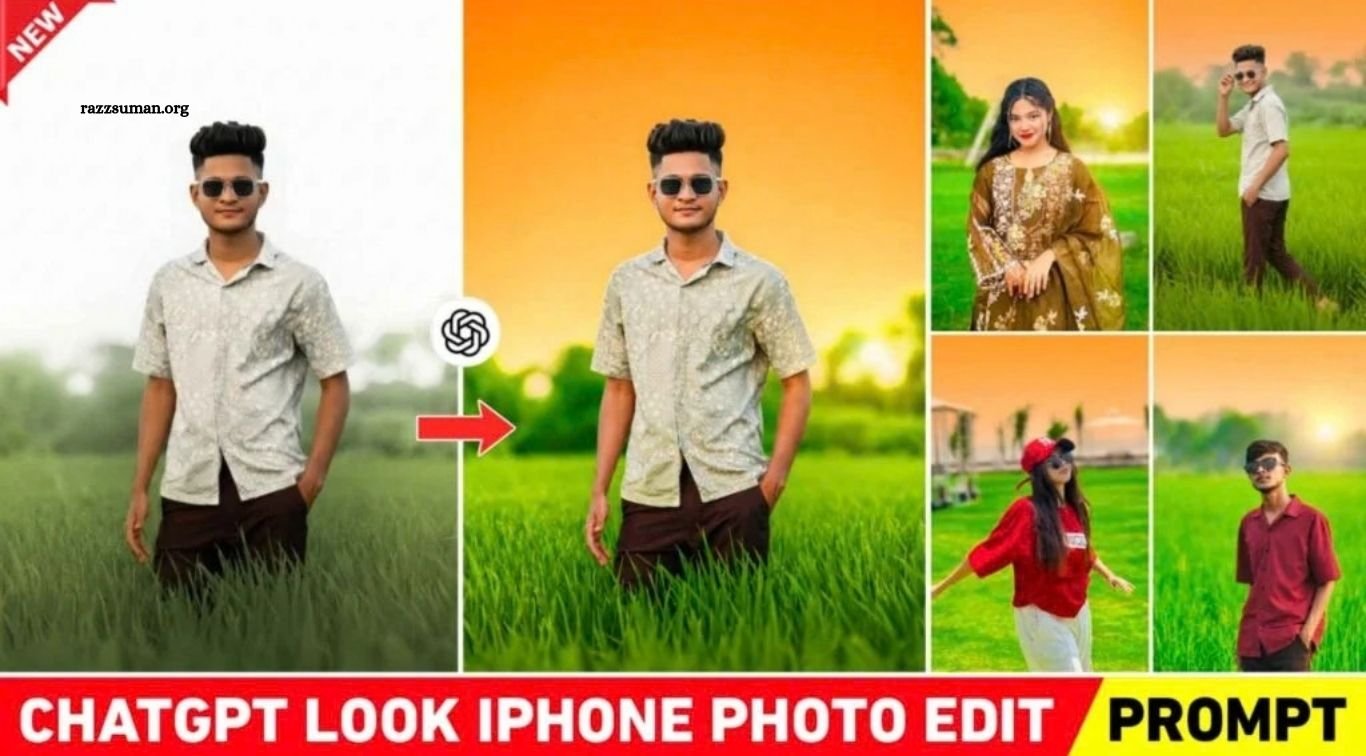
iPhone Editing Prompt – iPhone photography is widely known for its natural colors, balanced lighting, and attractive tones, especially in sunset and outdoor photos. While many Android smartphones can capture excellent images, they may not always produce the same visual style associated with iPhone photos. Fortunately, you don’t need to buy an iPhone to achieve a similar look. With today’s AI-powered photo editing tools, you can easily transform your regular Android photos into images with an iPhone-inspired appearance.
In this article, I’ll show you how to use ChatGPT photo editing prompts to give your photos a clean, vibrant, and iPhone-like look in just a few simple steps. These prompts can be used for different types of images, including portraits, outdoor shots, and sunset sky photos. Whether you’re looking to enhance colors, improve lighting, or create a more polished finish, these AI prompts can help you achieve the desired result quickly and easily.
Read More: Viral Instagram Cinematic AI Photo Editing Prompts | Gemini & ChatGPT
Full Details: ChatGPT iPhone Look Photo Editing
In this section, we’ll share several ChatGPT iPhone photo editing prompts that can be used to give your images a natural iPhone-inspired look. These prompts can work with different types of photos, but they are especially effective for outdoor images where the sky, lighting, and surroundings are clearly visible. ChatGPT can enhance colors, improve lighting, refine details, and create a more balanced overall appearance while keeping the photo looking natural. For the best results, use a high-quality outdoor photo with a clearly visible sky, as this allows the prompt to enhance the image more effectively.
We’ve included two to three different prompts that you can try depending on the editing style you want. One prompt is designed for a more enhanced, high-quality iPhone-style effect, while another focuses on a simple and natural iPhone-like appearance. Simply upload your photo to ChatGPT, add the desired prompt, and let the AI process the image. You can also experiment with other AI editing tools, but the final result may vary depending on the tool and image you use. For the most noticeable effect, try these prompts with outdoor photos featuring natural light, open skies, and visible backgrounds.
Create iPhone-Like Photos With Editing Apps.
Yes, you can also create an iPhone-inspired look using photo editing apps such as Adobe Lightroom. One of the most useful features for this type of editing is the Masking tool, which allows you to selectively edit the sky, background, or main subject without affecting the entire image. To get started, open your photo in Lightroom and use the Auto tool to make an initial adjustment to the lighting. Then fine-tune settings such as brightness, contrast, highlights, and shadows to achieve a balanced and natural look.
Next, open the Masking tool and choose Select Sky to isolate the sky. Go to the Color settings and increase the saturation, then adjust the hue toward a warm yellow or golden tone to create a sunset-inspired effect. You can also create another mask for the background and adjust its colors and lighting separately. Finally, use Lightroom’s Effects, Blur, and Detail tools to enhance depth, sharpness, and overall image quality. With the right combination of adjustments, you can give a regular photo a clean, vibrant, and polished iPhone-like appearance.
iPhone Editing Prompt
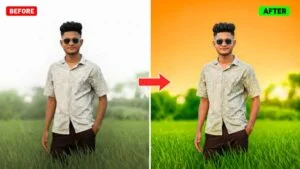
Bright cinematic outdoor color grading. Change to a full, solid, vibrant orange gradient covering the entire sky; smooth, clean gradient, no sunset glow, and no visible sun. Keep the lighting bright natural daylight, not dark and not night style. Make the grass and all tree leaves the same vibrant natural green color as in the reference images: a rich, fresh rice-field green tone, high saturation but still realistic, deep lush green similar to healthy paddy field plants. Add strong background blur (depth of field) to the distant background while keeping the subject extremely sharp. Soft atmospheric haze in the distance. Find similar Balanced exposure, natural skin tone, high clarity, professional DSLR look, ultra-realistic cinematic photo.
How to Create iPhone-Look Photo Editing Using ChatGPT Prompts
Creating an iPhone-inspired photo using ChatGPT is simple and can be done directly from your Android phone. First, install and open the ChatGPT app from the Play Store and sign in with your account. Once logged in, select the Create Image option, tap the Plus (+) or Media button, choose Photos, and upload a high-quality photo. Next, paste your preferred iPhone editing prompt into the chat box and tap the Send button. ChatGPT will process the image and apply the requested adjustments, giving your regular photo a polished, iPhone-inspired appearance.
Once the edited image is ready, open it and use the Save option to save it to your device. If you want to further improve the colors, lighting, or overall quality, you can make additional adjustments in Adobe Lightroom. You can also add subtle light effects using apps such as PicsArt for a more creative finish. Before uploading the final image to social media, consider enhancing its resolution and sharpness to maintain better image quality after posting.
ChatGPT Is Beneficial for YouTubers
With the rise of ChatGPT and AI-powered image generation, content creation has become much easier for YouTubers and social media creators. In the past, creators often relied on editing apps such as PicsArt and PixelLab to design YouTube thumbnails, which could take considerable time and effort. Today, ChatGPT can help simplify the process by generating customized visuals based on a detailed text prompt, reducing the need for extensive manual editing.
ChatGPT can also be useful for creating YouTube thumbnails, Instagram Reels cover images, and other social media graphics. You simply need to describe the type of design you want, including the overall style, background, subject, colors, and text you want to include. With a well-written prompt, you can quickly create an eye-catching concept and then make any additional adjustments needed before publishing it.
Frequently Asked Questions
What is a ChatGPT iPhone Look Photo Editing Prompt?
It is a text prompt that instructs ChatGPT to edit a normal photo with an iPhone-inspired look, including better colors, lighting, and details.
Can I edit Android photos to look like iPhone photos?
Yes. You can upload an Android photo to ChatGPT and use an appropriate editing prompt to achieve an iPhone-inspired appearance.
Which photos work best with these prompts?
Outdoor photos with natural lighting and a clearly visible sky usually work particularly well with these prompts.
Can I use ChatGPT for sunset photo editing?
Yes. You can use prompts to enhance the sky with warm sunset tones, improve lighting, and create a more vibrant overall appearance.
Do I need an iPhone for this photo editing?
No. You can use an Android phone and ChatGPT to create an iPhone-inspired editing style without owning an iPhone.
Can I further edit ChatGPT-generated photos?
Yes. You can use apps such as Lightroom or PicsArt to make additional adjustments to colors, lighting, sharpness, and other details.
Conclusion
Creating an iPhone-inspired photo no longer requires owning an iPhone. With ChatGPT iPhone Look Photo Editing Prompts, you can transform ordinary Android photos by enhancing their colors, lighting, sky, and overall details. For even better results, you can make additional adjustments using apps such as Lightroom or PicsArt. Whether you want to edit outdoor photos, sunset images, or social media pictures, these prompts can help you achieve a clean and polished iPhone-like appearance with minimal effort.
