

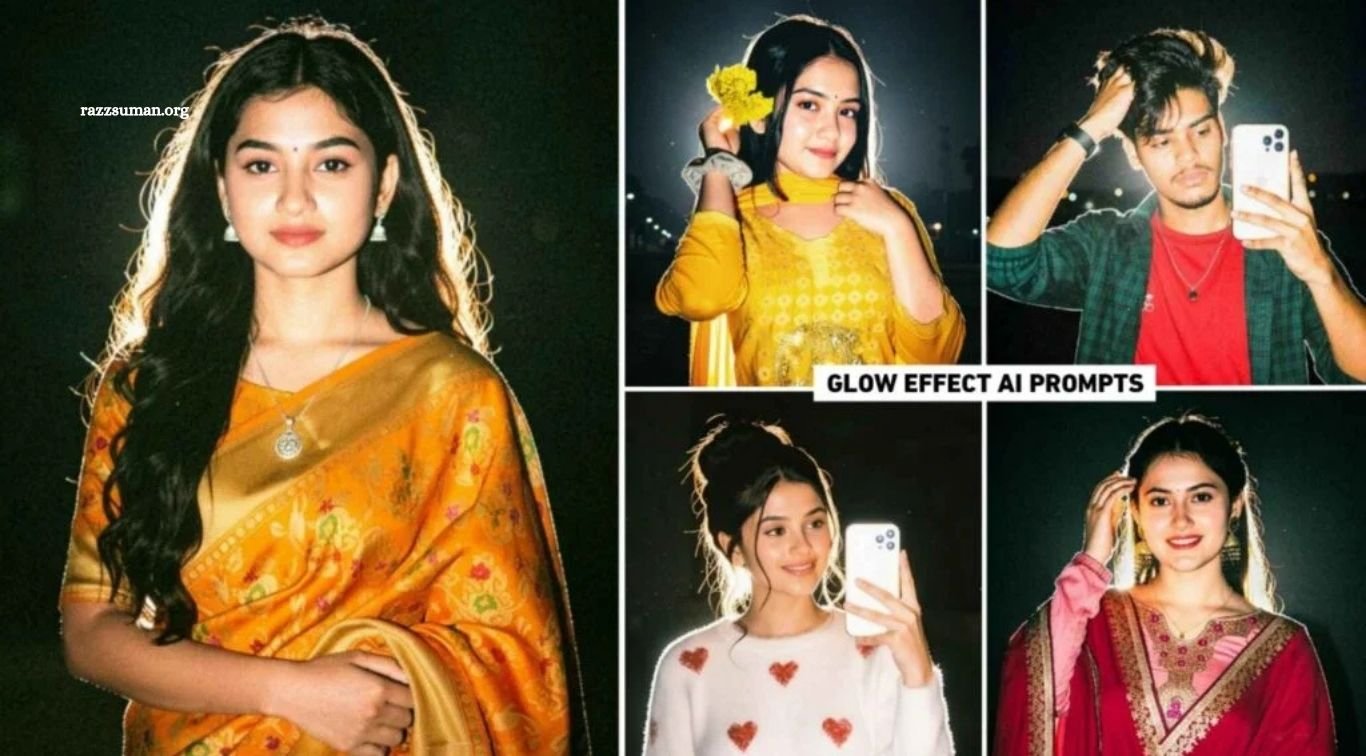
The Lofi Dusk Filter Prompt has become a popular AI photo editing trend on Instagram. Similar to the earlier flashlight photo trend, users are now creating stylish portraits with soft glowing effects, warm dusk tones, and a cinematic lofi appearance. This Glowing Effect Photo Editing style is gaining attention because it can transform an ordinary photo into an eye-catching social media post.
Instagram filters can create this effect, but users may face limits or “Something Went Wrong” errors after repeated edits. A simple alternative is using ChatGPT AI photo editing prompts to recreate the same look. In this article, we will share useful prompts for creating trending Lofi Dusk Filter and glow effect photos easily.
Read More: ChatGPT Instagram Milestone Poster AI Editing Prompts for 2026
Details of Glow Effect AI Photo Editing
With Instagram’s Lofi Dusk Filter or the AI prompts shared in this article, you can easily create photos with an attractive glowing effect. This editing style gives portraits a dramatic nighttime appearance, with soft white light around the edges of the hair and clothing. Often called backlighting or rim lighting, this effect separates the subject from the darker background and adds impressive depth to the overall image.
The enhanced color grading makes clothing, skin tones, and facial details stand out naturally against the dark background. Subtle grain, soft light, and floating dust particles further create a realistic cinematic atmosphere without making the photo look overly edited. Below, we will share several Glow Effect AI Photo Editing Prompts that you can use to recreate this trending style.
Create Lofi Dusk Photos Using Instagram Filter
To create a Lofi Dusk photo using Instagram, first update the Instagram app to the latest available version. Open Instagram, go to the Story creation section, and select a clear photo from your gallery. Look for the Restyle option, open the available effects or filters, and find Lofi Dusk under the relevant background or filter category. Apply the effect and allow Instagram a few moments to process your image.
Once processing is complete, your photo should have the signature dark atmosphere, soft glow, and cinematic lighting associated with the Lofi Dusk style. Save the finished image using Instagram’s available download or save option. If the effect is unavailable or Instagram displays a processing error, you can recreate a similar Lofi Dusk glowing effect using ChatGPT AI prompts, which we will cover in the next section.
Lofi Dusk Filter Prompt
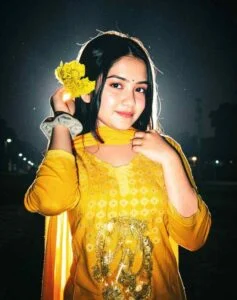
Create a high-quality, ultra-cinematic night portrait using the uploaded image as a perfect reference. Maintain the original person’s face, facial features, skin tone, hairstyle, hair color, expression, body proportions, outfit, accessories, hand details, and overall identity with complete accuracy—nothing should be changed from the original uploaded photo. Keep the clothing and look the same as the uploaded image. Medium close-up composition, looking towards the camera with a soft, confident expression. Bright white backlight behind the subject creates a dreamlike glowing rim light around the hair and body, revealing dust particles floating in the air. Dark, cinematic outdoor night background with soft bokeh lights of a distant city/street. The face should appear smooth, bright, glowing, and completely milky white, with clear, soft skin tones—no yellow light should be cast on the face; the face should remain perfectly white and bright. Rich cinematic atmosphere, sharp focus, HDR, natural film grain, great detail, Canon EOS R5, 50mm f/1.4, professional night portrait photography, ultra realistic, rich contrast, premium cinematic lighting
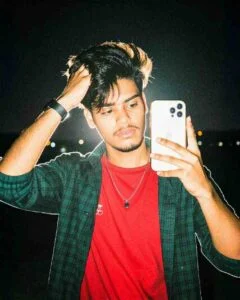
“Ultra cinematic night portraits using the uploaded photo as a perfect reference. Keep the same person, face, hairstyle, skin tone, outfit, pose, expression, and identity without any changes. Soft close-up, calm, confident look towards the camera; bright white backlight creates a dreamlike glowing rim light with floating dust particles. Deep black outdoor background with soft bokeh lights of a distant city/street. Face with smooth, clear, glowing skin, pure white lighting, no yellow tint to the face. Sharp focus, realistic details, cinematic depth, soft film grain, HDR, Premium DSLR, 50mm portrait lens, ultra realistic.”
Create a Photo With Lofi Dusk From ChatGPT Prompt
Creating a Lofi Dusk photo with ChatGPT is simple when you use a detailed AI prompt. The quality of your prompt plays an important role because it guides the AI about lighting, glow, background, colors, and overall visual style. For this reason, we have shared multiple Lofi Dusk Filter Prompts, allowing you to try another option if the first prompt does not produce your desired result.
Start with a clear, high-quality photo for better results and follow the steps below. You can experiment with different prompts to achieve variations of the glowing Lofi Dusk effect while keeping the original subject recognizable.
- Install or open the ChatGPT app on your device.
- Sign in to your ChatGPT account.
- Open the Create Image option.
- Upload your photo from the device gallery.
- Copy your preferred Lofi Dusk prompt and enter it in the chat.
- Submit the prompt and wait for the image to generate.
- Open the generated photo and check the final result.
- Save the finished image to your device using the available save option.
- Repeat the same process with other prompts to create more Lofi Dusk photos.
Frequently Asked Questions
What is the Lofi Dusk Filter?
The Lofi Dusk Filter creates a dark, cinematic photo with soft glow, backlighting, and atmospheric effects.
What are Glow Effect AI Photo Editing Prompts?
These are text instructions that guide AI tools to create glowing, cinematic, and Lofi Dusk-style photo effects.
Can I create Lofi Dusk photos with ChatGPT?
Yes, you can upload a suitable photo and use a detailed prompt to create a similar Lofi Dusk effect.
Which photo works best for the Glow Effect?
A clear, high-quality portrait with a visible face and good lighting generally provides better editing results.
Can I use different Lofi Dusk prompts?
Yes, trying different prompts can produce variations in lighting, glow intensity, background, and overall cinematic appearance.
Can I create the Glow Effect without Instagram?
Yes, AI image editing tools such as ChatGPT can recreate a similar glowing effect using properly written prompts.
Conclusion
The Trending Glow Effect AI Photo Editing Prompts and Lofi Dusk Filter make it easy to transform ordinary portraits into stylish, cinematic images. With soft backlighting, glowing edges, enhanced colors, and a dark atmospheric background, this editing style can give photos an eye-catching appearance suitable for social media. You can create the effect using Instagram’s available filters or experiment with ChatGPT AI prompts for greater flexibility. Try different prompts, use a clear photo, and adjust the instructions when needed to achieve the desired Lofi Dusk look while keeping the final image natural and visually appealing.

1 Comment
Pingback: Trending Viral AI Photo Editing Prompts for ChatGPT & Gemini - razzsuman.org