


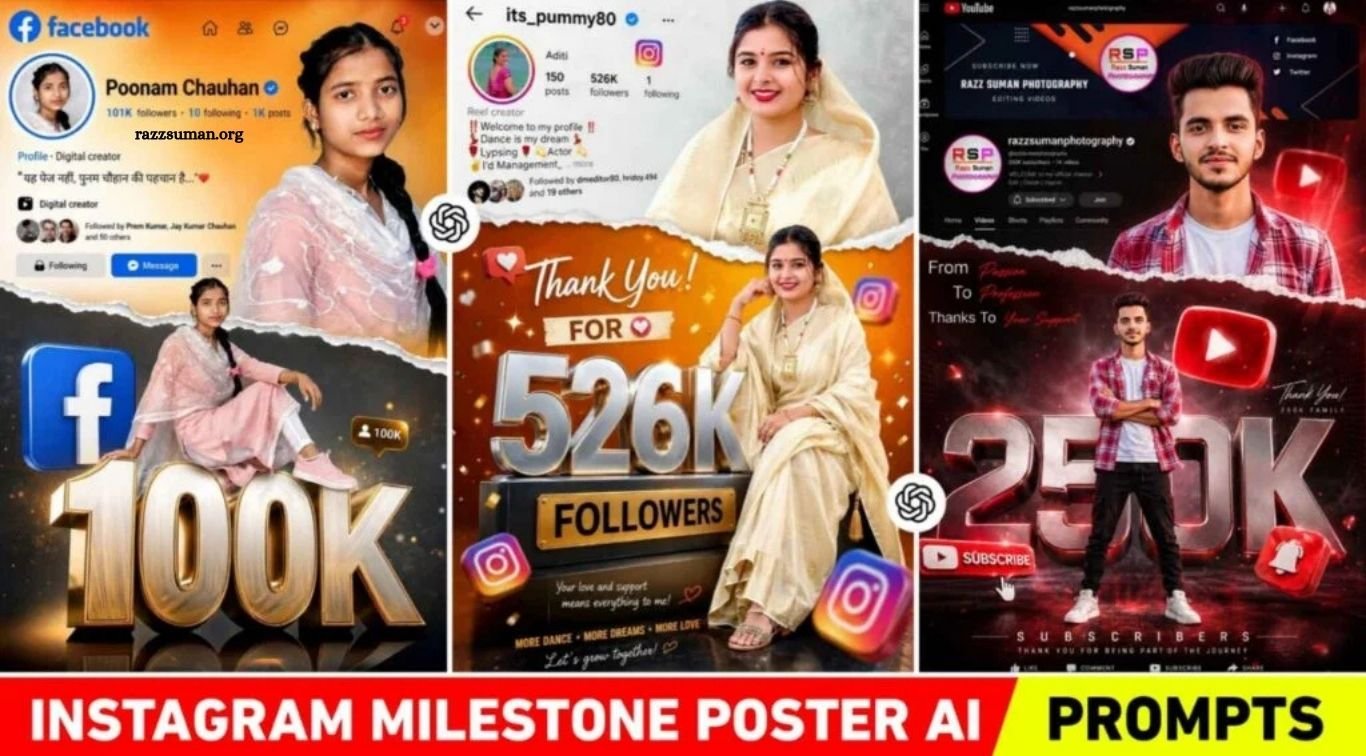
AI photo editing is rapidly becoming a major trend across social media, especially for creating Instagram, Facebook, and YouTube milestone posters. Creators are increasingly using AI tools to design cinematic, premium-looking visuals to celebrate followers, subscribers, and social media achievements. What once required professional graphic design skills can now be created easily with tools like ChatGPT and AI image generators.
The appeal of these milestone posters comes from their polished combination of profile screenshots, stylish poses, 3D metallic typography, cinematic effects, and social media branding elements. These designs not only make achievements more visually appealing but can also give a profile a professional and engaging appearance. In this article, we’ll share creative AI editing prompts that you can use to create impressive milestone posters for Instagram, YouTube, and Facebook.
Read More: Cockroach Janata Party AI Editing Prompts | Gemini & ChatGPT
What Are the Elements in a Milestone Photo?
If you’ve seen viral milestone posters on Instagram, Facebook, or YouTube, you may have noticed how several creative elements are carefully combined to create a premium and professional look. These designs often feature a screenshot of the creator’s social media profile, including the profile picture, username, bio, and follower or subscriber count. Large 3D metallic typography, such as “50K” or “100K,” is also commonly used to highlight the achievement and add a strong celebratory feel to the design.
Each platform can also have its own visual identity. Instagram posters may include the profile interface and signature branding elements, while Facebook designs often feature blue tones, floating icons, reactions, and interface elements. YouTube milestone posters commonly include the red color theme, subscribe button, play icon, notification bell, subscriber count, and channel interface. Creators may also use multiple photos, such as a stylish portrait and a full-body pose, along with torn-paper effects, glowing highlights, cinematic lighting, and other visual effects. Together, these elements create the eye-catching and modern style that makes milestone posters popular across social media.
Will Uploading a Profile Screenshot Give Better Results?
Yes, AI tools can create impressive milestone posters using only a selfie, but uploading a profile screenshot along with your photo can help produce a more personalized and accurate result. A profile screenshot gives the AI additional visual references, such as your username, profile picture, follower or subscriber count, bio, and overall interface layout. This allows the generated design to better reflect the look and structure of your actual social media profile.
For example, when creating an Instagram milestone poster, upload a clear screenshot of your Instagram profile along with a high-quality selfie. For a YouTube milestone poster, you can provide a screenshot of your channel page together with a clear portrait photo. This helps create a design that closely matches your original profile or channel. For the best results, make sure your photo is sharp and well-lit, your face is clearly visible, and the background is relatively clean and uncluttered.
Instagram Milestone Poster Prompts
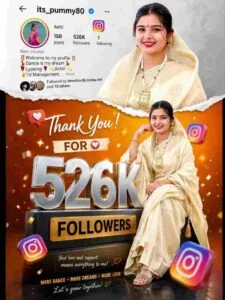
Instagram milestone poster celebrating 526k followers. The main subject (Luis) is stylishly posed in two different positions – one a full-body seated pose above large 3D metallic “526k” text with floating Instagram icons, and the other a half-body stylized photo above with a torn paper effect transitioning between an orange gradient and a gray background. The top section shows an Instagram profile interface with the username “Your Username,” follower count 85k, bio, and icon. In both photos, the boy is looking directly at the camera.
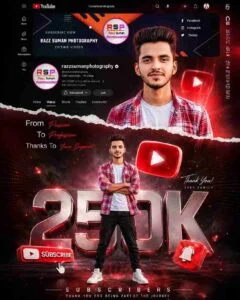
Create a premium YouTube milestone poster celebrating 250K subscribers for the channel “Your Username”. Include the main subject (Luis) in two stylish poses: one full-body pose above large 3D metallic “250K” text with a floating YouTube play button, subscribe icon, bell symbol, and red UI elements; second half-body portrait with a dramatic torn paper effect, red gradient, and bright background. Add a realistic YouTube channel interface (similar to the uploaded screenshot, name: Fade), showing 250K subscribers, profile icon, banner, bio, and YouTube branding. The subject looks directly at the camera with a confident expression. Use cinematic lighting, soft shadows, glowing red highlights, particles, depth, ultra-detailed premium social media poster style.
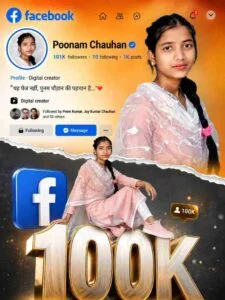
Create a stylish Facebook milestone poster to celebrate 100K followers. The main subject (Luis) is stylishly posed in two different positions: one standing with his full body above a large 3D metallic “3800” text, with floating Facebook icons and reaction symbols, and the other a stylized half-body photo above, with a torn paper effect alternating between a blue gradient and a white background. The top portion shows a Facebook profile/page interface, with the page name “Your Username.” In both photos, the boy is looking directly at the camera.
Milestone Poster Prompt
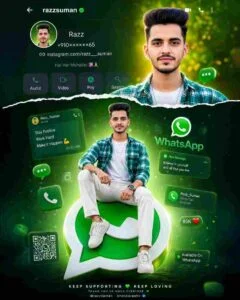
Premium WhatsApp-themed poster for “Razz Suman” featuring Luis in two stylish poses: standing on a large 3D WhatsApp logo and sitting in a stylish pose. And a half-body cinematic portrait with a torn paper effect. Add floating WhatsApp UI elements, chat bubbles, call icons, notifications, green glow accents, shiny reflections, soft shadows, and luxury poster aesthetics. The top section shows the original WhatsApp profile UI with the username “razzsuman,” profile photo, and premium interface design. Ultra HD, sharp focus, highly detailed face, cinematic lighting, modern professional composition, confident eye contact.
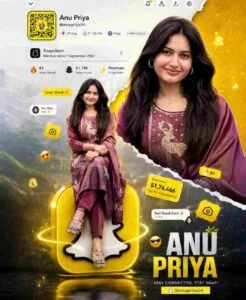
Create an ultra-premium cinematic Snapchat milestone poster using the uploaded girl’s face. A luxurious social media milestone poster-like composition: a large metallic 3D “50K” Snap Score at the bottom, a stylishly seated girl at the top, in a confident, natural pose, looking directly at the camera. Add a second, larger portrait of the same girl in the background above, with a torn paper transition, glitter, and layered collage depth. Background: Realistic blurred Snapchat profile UI including: Display name: “Anu Priya”; Username: “Anupriya433”; Bitmoji; Snap Score: 50K; Stories; profile controls; Snapchat interface details. Add a floating Snapchat ghost logo, streak/fire icon, chat bubbles, Snapchat UI particles, and glowing accents. Text: “Thank you,” “For your love and support,” “50K SnapScorer,e” “Every Snap is part of my journey.” Color themes: Premium Snapchat yellow, white, warm cinematic orange. Style: Ultra Realistic, Cinematic Lighting, Soft Shadows, Depth of Field, Luxury Creator Aesthetic, Editorial Quality, 4K Detailed, Sharp Skin Textures, Instagram-Reel Style Finish.
How to Use ChatGPT Instagram Milestone Poster Prompts
If you want to create a professional milestone poster on your own, using the right prompt in ChatGPT is essential. We have already prepared detailed prompts for you in the section below, so you can simply copy the prompt and customize it according to your requirements. For example, if you’re creating an Instagram milestone poster, select the Instagram prompt and update details such as your username and follower count before pasting it into ChatGPT.
Next, upload your clear selfie along with a screenshot of your social media profile and submit the prompt. ChatGPT can then use these references to generate a customized milestone poster. If the first result doesn’t match your expectations, don’t worry—make a few adjustments to the prompt and try again. With a little experimentation, you can create a polished and eye-catching milestone poster that looks professionally designed. Once you’re satisfied with the final result, you can save the generated image to your device.
Frequently Asked Questions
What are Instagram milestone poster prompts?
They are AI prompts that help create stylish posters celebrating followers, subscribers, or social media achievements.
Can I create a milestone poster with ChatGPT?
Yes, you can use ChatGPT with a suitable prompt and upload your photo and profile screenshot.
Do I need a profile screenshot?
It is recommended because it helps the AI better understand your profile details and layout.
Can I customize the follower count and username?
Yes, you can easily replace the username, follower count, milestone number, and other details in the prompt.
Can these prompts be used for other platforms?
Yes, similar prompts can be customized for YouTube, Facebook, and other social media platforms.
How can I get better AI poster results?
Use a clear, high-quality photo, provide an accurate profile screenshot, and refine the prompt if the first result isn’t what you want.
Conclusion
Creating a professional Instagram milestone poster is now easier with ChatGPT and AI image-generation tools. With the right prompt, a clear photo, and a profile screenshot, you can create personalized designs featuring your username, follower count, social media branding, 3D text, and cinematic effects. The prompts shared in this guide can help you celebrate your social media achievements in a creative and professional way. Simply customize the details, upload your images, and experiment with the prompt until you achieve the desired result.

1 Comment
Pingback: Trending Glow Effect AI Photo Editing Prompts | Lofi Dusk Filter - razzsuman.org