


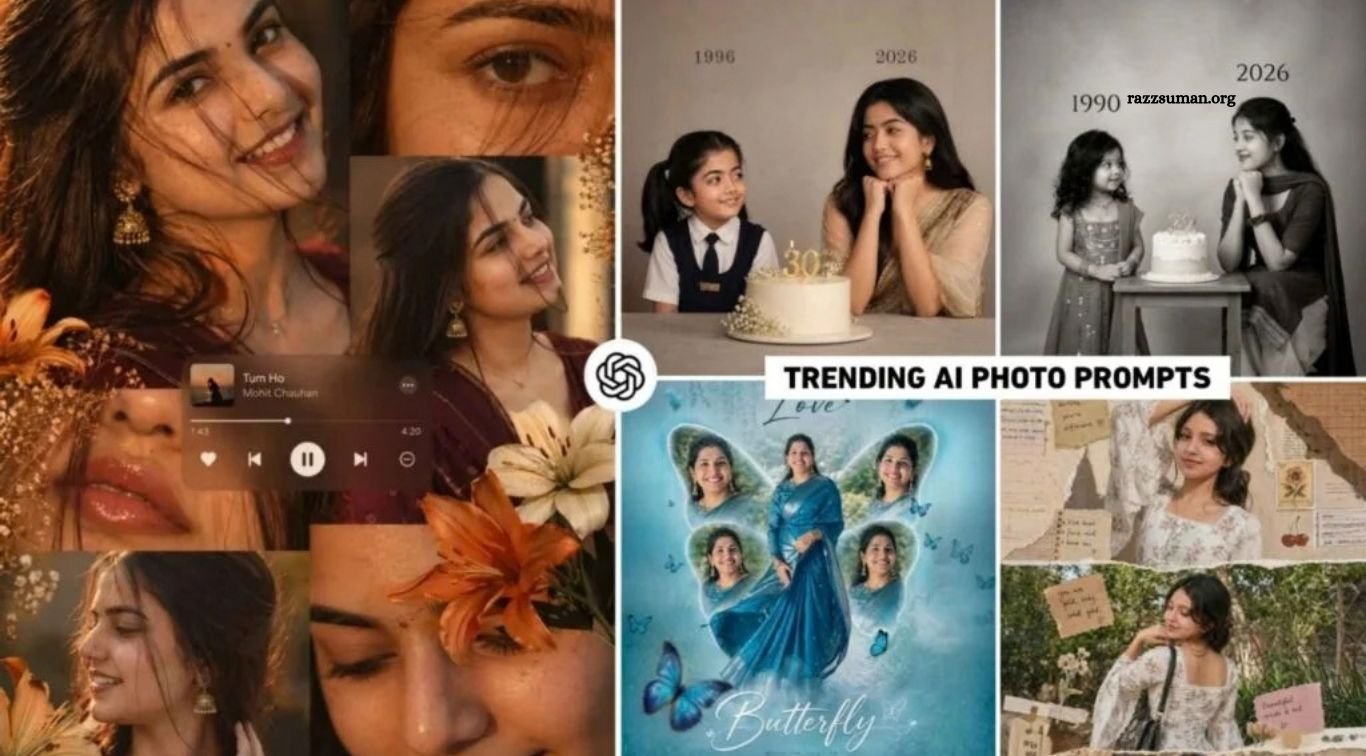
Instagram Viral Cinematic AI Prompts – AI-generated photos have become a major trend across social media platforms like Instagram, Facebook, WhatsApp, and YouTube. From cinematic portraits to creative collage, outfit, and butterfly-themed edits, users are experimenting with AI tools such as ChatGPT and Gemini to create eye-catching visuals. These stylish AI edits are gaining significant attention, engagement, and views, making them a popular choice for social media content.
In this article, we’ll explore some of the latest viral cinematic AI photo editing prompts that are trending on social media. You’ll find ready-to-use prompts for creating stunning and creative images with Gemini and ChatGPT, along with ideas inspired by popular Instagram trends. Whether you want to recreate a viral style or give your photos a fresh cinematic look, these prompts can help you create engaging AI images with ease.
Read More: Latest Instagram Viral ChatGPT & Gemini AI Editing Prompts
About the Prompts and the Images They Create
The AI images currently trending on social media are often recognized by different names, usually based on their visual style or the song associated with them. For example, the collage-style image is commonly referred to as Khat Song Photo Editing, while the Kurti-style edit is often known as Nazar Na Lag Jaaye Song Photo Editing. Each trend has its own unique aesthetic, and users are creating and sharing these images across platforms like Instagram and Facebook.
The first prompt in this collection creates a collage-style portrait featuring a girl dressed in a maroon saree with traditional jewelry, such as jhumkas. Multiple poses are arranged in separate frames, with a music-player interface placed in the center. Another popular design features a Kurti-style look displayed across three vertically stacked frames, each with a torn-paper effect that gives the image a nostalgic scrapbook or old-diary appearance.
Another trending concept is known as Childhood to Young Birthday Editing, which combines childhood and present-day photographs in a single creative composition. The childhood image appears on one side, while the current photo is placed on the other, with a birthday cake positioned between them. Below, you’ll find the prompts needed to recreate these popular AI photo-editing styles and create similar images using AI tools.
Tips for Choosing the Right Photo
To create a high-quality cinematic AI photo using the viral prompts shared in this article, selecting the right reference image is essential. Whether you’re using ChatGPT or Gemini, choose a clear, sharp, and high-resolution photo where your face is fully visible. A full-body or medium-shot image works well, while a clean, uncluttered background helps the AI understand the subject more accurately.
For the best results, avoid photos with masks, caps, sunglasses, heavy makeup, or anything covering the face. Simple, solid-colored clothing is preferable to busy prints or complex patterns. Use a photo with natural, balanced lighting and avoid images that are too dark, overexposed, or heavily shadowed. A straight, front-facing angle with minimal facial shadows will generally produce more accurate and realistic results.
Instagram Viral Cinematic AI Prompts
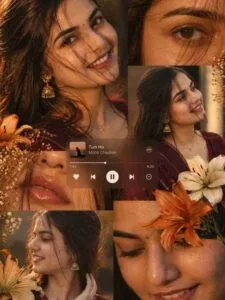
Warm-toned cinematic portrait collage of a young woman with glowing dewy skin, subtle freckles, glossy nude lips, and long dark brown wavy hair with face-framing strands. She wears gold jhumka earrings, a delicate necklace, and a deep maroon outfit with a sheer dupatta. Golden-hour lighting with rich amber highlights and soft shadows creates a cozy, intimate mood. Multi-frame collage with aesthetic close-ups of eyes, lips, and side profile, decorated with beige and orange lilies. Add a blurred music player overlay for a nostalgic vibe. Soft glam editorial style, warm color grading, shallow depth of field, ultra-realistic, 4K.
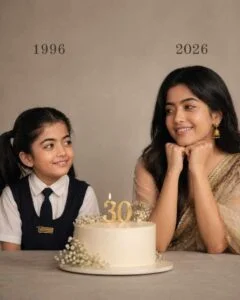
On the left: a child version of me (from a childhood photo) looking with an innocent smile to the right, with 1996 written above it. 342 On the right: A present version of me (from a recent photo) sits with her hands under her chin and looks at the child with a calm smile, with “2026” written above her. In the middle: a table with a simple, elegant birthday cake with the number 30 on top. Studio background: plain and soft (studio background). The lighting: Soft, cinematic, warm (even in a black -and-white photo).Style: Professional, minimal, emotional photography, focusing on feelings and visual communication between the two versions. Make the picture look so real, like a real photoshoot. Keep my original features without changing them. Photo size: 4:5.
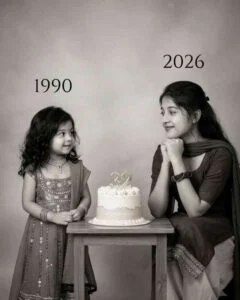
Use my uploaded childhood and recent photos to create a hyper-realistic 4:5 black-and-white emotional studio portrait—childhood me on the left with an innocent smile looking right under “2002,” present me on the right sitting with hands under chin looking left under “2026,” with a simple elegant table and birthday cake with number 20 in the center, soft plain studio background, cinematic lighting, minimal professional photoshoot style, and keep my original facial features unchanged.
Cinematic AI Photo Prompts
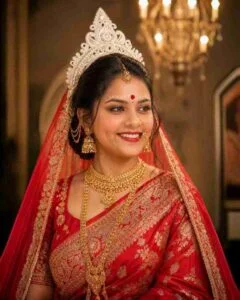
Own prompt: Create an image (9:16 ) dressed in traditional Bengali bridal attire, radiating elegance and cultural heritage. She is wearing a vibrant red saree and blouse adorned with intricate gold embroidery along the borders. Her look is elevated by heavy, ornate gold jewelry, including a tiered necklace, large jhumka earrings with hair chains, and a delicate nose ring. A striking white Sholacrown (mukut) sits atop her head, contrasting beautifully with her dark hair and red veil. Her makeup is refined, highlighted by a bold red bindi and white decorative dots across her forehead. She gazes off-camera with a gentle smile, set against a blurred background featuring a classic lit chandelier. The girl has one hand on her waist and one hand straight.
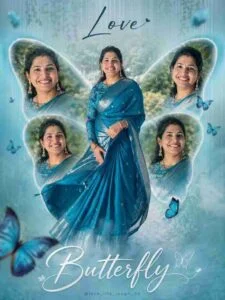
Cinematic butterfly-themed 4K collage poster of a young South Indian woman using the uploaded image as an exact face reference (100% face preserved). Central full-body shot in a deep teal/blue saree with a silver border, twirling gracefully. 4 smaller close-up/side portraits arranged like butterfly wings with soft feathered edges. Pastel teal gradient background with mist/fog and blurred greenery. Elegant dreamy aesthetic, soft glow, natural lighting, shallow depth of field. Add “Razz Suman” at the top and “Butterfly” at the bottom in a stylish signature/cursive font, with a small Instagram-style username. Studio-quality, sharp focus, –ar 3:4 –v 6 –style raw
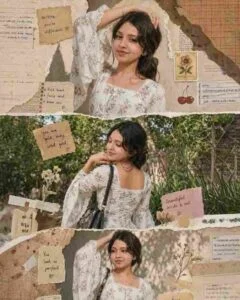
Ultra-realistic 3-panel vertical scrapbook collage using only the uploaded face in all panels, transitioning from a warm-lit close-up side pose at the top, to a smiling back pose in garden daylight in the middle, and finally to a warm sunlight front mid-shot at the bottom, with the same white floral kurti, corset lace-up, bell sleeves, minimal gold jewelry, shoulder bag, voluminous hair, and vintage scrapbook elements like torn paper edges, textures, stickers, stamps, and handwritten notes.
How to Use Instagram Viral Cinematic AI Photo Prompts?
You can use both Google Gemini and ChatGPT to create viral cinematic AI photos. However, ChatGPT is a popular choice because it can generate highly detailed and realistic images from simple prompts. You can access ChatGPT through its website or mobile app. For convenience, install the official ChatGPT app from the Google Play Store or App Store and sign in to your account.
Once you’re signed in, select the Create Image option and upload your high-quality reference photo. Next, go to the prompt section in this article and choose the style you want. Press and hold the prompt to copy it, then paste it into the ChatGPT message box and send it along with your uploaded photo. ChatGPT will process your image and prompt to generate the requested result. After it creates the image, review it carefully and, if you’re satisfied, use the Save option to download it to your device.
Frequently Asked Questions
What are Instagram cinematic AI photo prompts?
They are ready-to-use prompts for creating cinematic and trending AI photos for Instagram.
Can I use these prompts with ChatGPT?
Yes, you can copy and use these prompts with ChatGPT to create AI images.
Can I use the prompts in Google Gemini?
Yes, most prompts can also be used with Google Gemini for AI photo editing.
What type of photo should I upload?
Use a clear, high-resolution photo with good lighting and a clearly visible face.
How can I create viral-style Instagram photos?
Upload your photo, copy a suitable prompt, and use it with ChatGPT or Gemini to generate the desired style.
Are these AI photo prompts free to use?
Yes, the prompts shared in this article can be copied and used for creating your own AI photos.
Conclusion
Viral cinematic AI photo editing has become a popular way to create stylish and creative images for Instagram and other social media platforms. With the right reference photo and a well-written prompt, tools like ChatGPT and Google Gemini can help you recreate a variety of trending cinematic styles. The prompts shared in this article are designed to make the process simple, even for beginners. Choose a clear, high-quality photo, copy the prompt for your preferred style, and let the AI create the image.

1 Comment
Pingback: ChatGPT iPhone Look Photo Editing Prompt | iPhone Photo Editing - razzsuman.org