


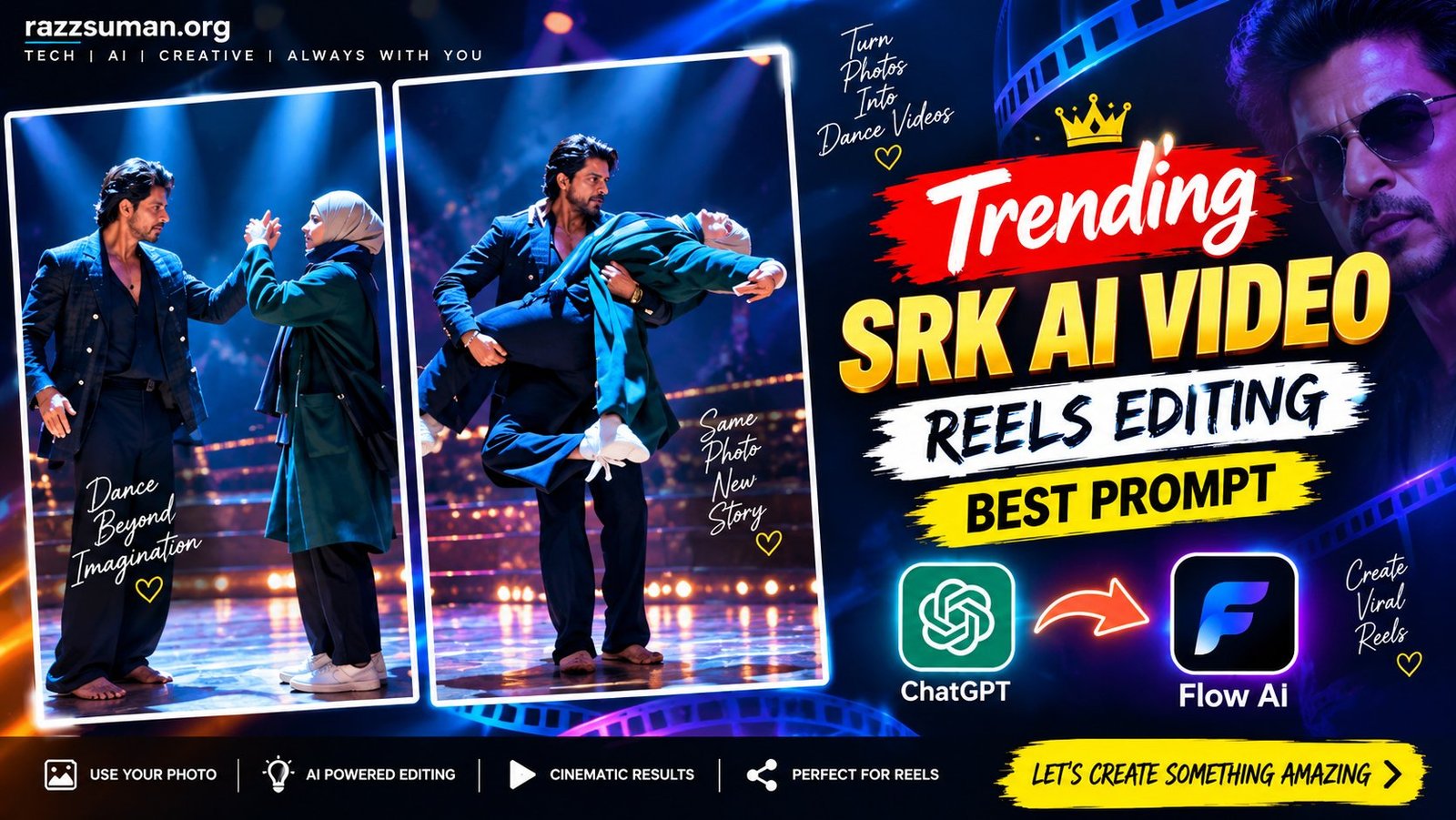
SRK Dance AI videos are quickly becoming a popular trend on Instagram. Users are transforming simple photos into realistic dance clips featuring their favorite celebrities, especially Shah Rukh Khan. With AI tools such as Gemini and Flow AI, anyone can create engaging dance videos without professional cameras, advanced editing skills, or special dance preparation.
Many viral clips use the song “Meri Zubaan Ho Tum Hi,” showing both characters dancing together in a romantic style. In this guide, you will learn how to create a similar SRK Dance AI video using two AI tools, along with useful prompts and simple editing steps.
Read More: Lord Girl Eye in the Sky AI Photo Editing Prompt | Viral AI Prompt
Viral SRK Dance AI Video Editing
A 15-second AI dance video featuring Shah Rukh Khan has recently gone viral on Instagram. The clip shows a man and woman performing together on a dark stage illuminated by blue lights. Both characters begin by facing each other and dancing with smooth hand and body movements. As the performance continues, the man holds the woman’s hand, spins her gently, and performs coordinated steps before lifting her into a dramatic dance pose.
The realistic movements, expressions, lighting, and cinematic stage setting make the video look highly engaging. Its popularity has also increased because the male character resembles Shah Rukh Khan, which is why the trend is commonly searched as the “SRK Dance AI Video Prompt.” Similar videos can be created using a clear reference photo and AI tools such as Gemini or Google Flow AI.
What Is So Special About This Video?
The main highlight of this video is the smooth coordination between both characters. Instead of using simple hand and body movements, the dance includes realistic actions such as holding hands, turning around each other, moving closer, and performing a lifting pose. These movements match the rhythm of the song, making the entire performance look natural and visually appealing.
The dark stage, blue lighting, and cinematic atmosphere also make the video stand out from ordinary AI dance clips. People especially enjoy creating similar videos by adding their own photos and appearing to dance with a celebrity like Shah Rukh Khan. This unique concept has helped the trend gain attention quickly, encouraging many Instagram users to create and share their own versions.
Character Sheet Prompt
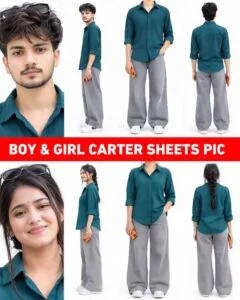
Create a horizontal 16:9 four-panel character reference sheet on a seamless white background, keeping my face, features, hairstyle, and expression identical to my selfie, wearing the exact teal shirt and grey wide-leg pants from the second reference, the same Arvind Techies sunglasses from the third reference, holding an orange iPhone, with panels showing an extreme face close-up, full-body profile, neck-down front view, and full-body back view, maintaining consistent proportions and styling throughout.
Create SRK Dance AI Video Using Flow AI & Gemini
Gemini and Google Flow AI are becoming popular tools for creating realistic AI dance videos. Both platforms can help transform a reference image into an engaging video, but their features and availability may differ depending on the user’s account and region.
Gemini’s video generation feature may not be available to every user by default. In some cases, access requires an eligible paid plan or supported account. Before starting, check whether video generation is available in your Gemini account. If the feature is unavailable, Google Flow AI can be used as an alternative for creating similar SRK-style dance videos.
Srk Dance Ai Video Prompt
Create an ultra-realistic cinematic 4K/8K vertical 9:16 dance video using the two uploaded photos as exact identity references. Preserve both faces, facial features, hairstyles, body proportions, skin tone and identity perfectly throughout, with zero face drift or morphing. The man wears a black textured blazer, black button-down shirt, black trousers and is barefoot; the woman wears a teal-green long coat, blue-grey striped scarf, black trousers and beige ankle boots, with long open flowing hair. Keep the same dim circular wooden stage, deep black background and single dramatic overhead spotlight throughout, with rich natural colors, warm skin tones, deep blacks and smooth cinematic slow-motion movement. Scene 1: They hold hands and walk onto the center of the stage. Scene 2: They face each other, hold hands and gaze warmly into each other’s eyes. Scene 3: They raise their joined hands and smile. Scene 4: He lifts her and completes one smooth full 360° spin; her hair, coat and scarf flow naturally. Scene 5: They hold hands with arms extended and lean back joyfully. Scene 6: He performs a graceful controlled dance dip, her hair cascading downward, then gently brings her upright. Scene 7: He lifts and securely carries her through one smooth 360° rotation, then gently lowers her into a close embrace as the camera slowly zooms out. Maintain perfect character and outfit consistency, realistic fabric and hair physics, graceful full-body choreography, seamless transitions, no jerky motion, no scene skipping, exactly 7 scenes, premium cinematic quality.
Frequently Asked Questions
What is the SRK Dance AI Video trend?
It is an AI-generated dance video featuring users alongside Shah Rukh Khan-style characters.
Which tools can create SRK Dance AI videos?
Gemini and Google Flow AI are commonly used for creating these AI dance videos.
Do I need a professional photo?
No, but a clear, well-lit, high-quality photo usually gives better results.
Can I create the video without dancing?
Yes, AI tools can animate your photo and generate realistic dance movements.
Is Gemini video generation free?
Availability depends on your account, region, and eligible Gemini plan.
Can I share the AI dance video on Instagram?
Yes, you can share the generated video on Instagram and other social platforms.
Conclusion
Viral SRK Dance AI Video Editing has made it easy for users to turn simple photos into creative dance clips. With tools like Gemini and Google Flow AI, anyone can experiment with realistic movements, cinematic effects, and engaging dance scenes without recording a real performance. Using a clear photo, a suitable AI prompt, and the right video tool can help produce better results. This trend offers a fun way to create unique social media content and explore the growing possibilities of AI-powered video editing.

1 Comment
Pingback: Cinematic Sunset Beach AI Photo Editing Prompts for ChatGPT - razzsuman.org