


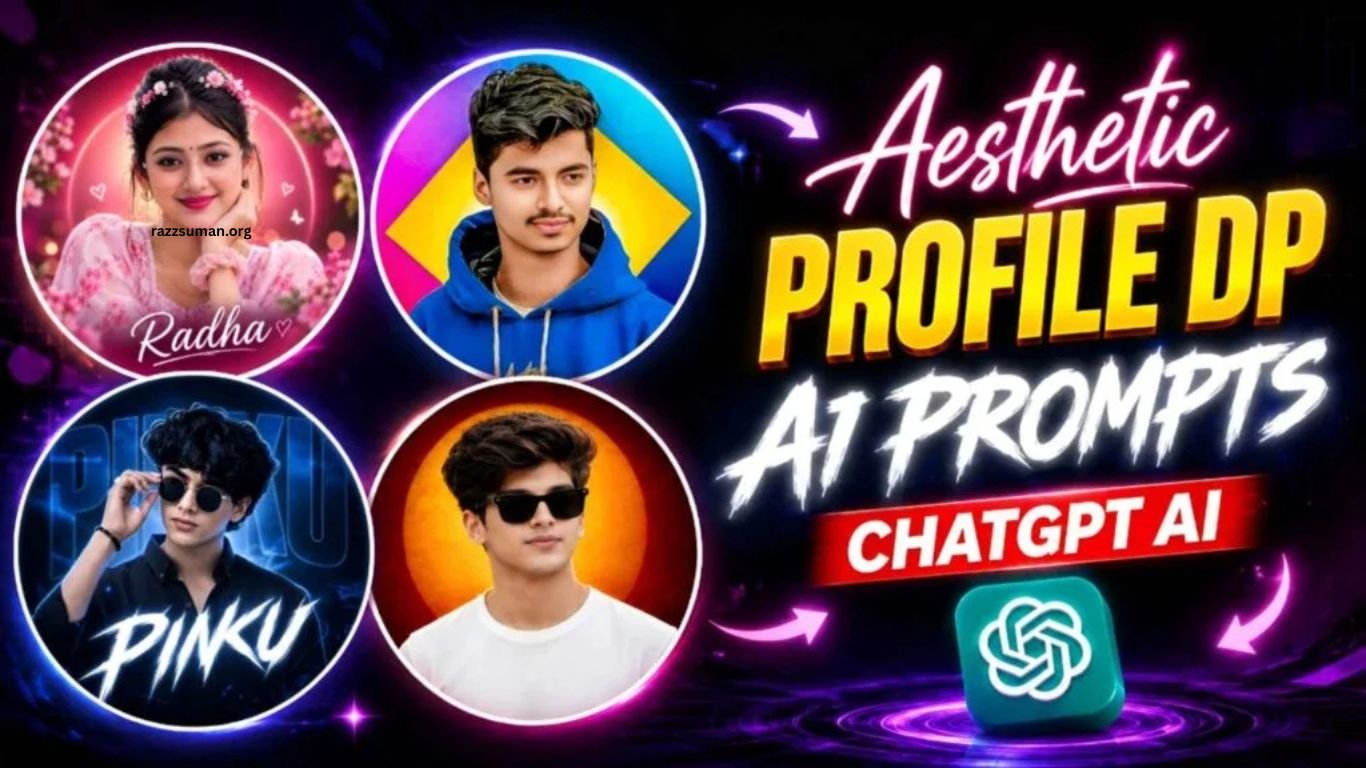
Aesthetic profile DPs have become more than simple identification photos on social media. They now reflect personal style, creativity, and personality. With the right prompt and a good-quality selfie, you can transform an ordinary photo into a stylish and eye-catching profile picture without expensive equipment or advanced editing skills.
In this article, you’ll discover a collection of aesthetic profile DP prompts for both boys and girls. These prompts include dark, light, red, blue, pink, and purple backgrounds, along with stylish names, glasses, and creative designs. Each concept is designed with a round profile-picture format, making the results ideal for Instagram, Facebook, WhatsApp, and other social media platforms.
Read More: Lightroom 4K, 8K & 16K Photo Editing Presets | Best 4K, 8K & 16K Presets
Aesthetic Profile DP Editing Complete Guide
The key feature of an aesthetic profile DP is its clean round shape, often enhanced with a thin white border for a polished look. The subject’s face should remain clearly visible at the center, while the colors, lighting, and background stay balanced within the circular frame. For boys, stylish sunglasses, black or white outfits, dark red, black, or orange lighting, and a subtle glowing circle can create a bold and confident appearance.
For girls, soft shades such as light blue, pink, purple, cream, and teal can create an elegant and attractive look. Floral elements, soft lighting, subtle glow effects, and aesthetic backgrounds can further enhance the overall design. Names can be added behind the subject in stylish typography or placed neatly below the portrait. Red backgrounds create a powerful feel, blue gives a calm appearance, pink adds a cute touch, while purple creates a modern and creative aesthetic.
Can I Make Such a DP Using PicsArt?
Yes, PicsArt can be used to create an aesthetic profile DP with various simple editing features. You can crop your photo into a circular shape, add a clean white border, change the background, adjust brightness and shadows, enhance colors, and add stylish text or your name. You can also experiment with red, blue, pink, or purple backgrounds to create a personalized look.
However, achieving advanced changes to facial features, clothing, hairstyle, lighting, and the overall environment can take more time with manual editing. A better approach is to first create your desired image using an AI editing prompt and then use PicsArt for final adjustments. This combination makes it easier to create a clean, stylish, and attractive profile DP without complicated editing.
Aesthetic Profile DP Prompts
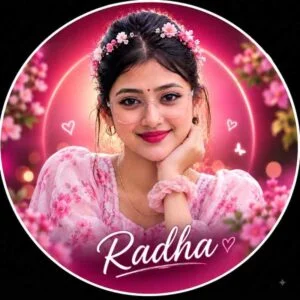
Create a trendy aesthetic circular profile picture using the uploaded girl photo as the exact identity reference. Preserve her face, facial structure, hairstyle, and natural appearance exactly. Place the girl in the center wearing stylish transparent fashion glasses and a modern outfit. Add a cute pink floral headband/crown around her hair. Give her a playful natural expression. Create a vibrant pink-magenta background with a soft glowing circular light behind her head, subtle bokeh, small floral elements, and dreamy pink lighting. Add elegant white handwritten-style text “YOUR NAME” near the bottom inside the circular design, with a subtle pink shadow. Keep the typography completely inside the circle. The final DP must be a perfect round/circular profile picture, with a thin white circular border around the entire edge. No square frame, no rectangular canvas appearance. Premium Instagram aesthetic, realistic face, soft glow, great detail, 1:1 ratio
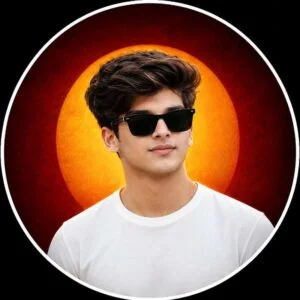
Create a premium aesthetic circular profile picture using the uploaded photo as the exact identity reference. Preserve the boy’s face, facial structure, hairstyle,e and natural appearance exactly without changing his identity. Place the boy in the center wearing stylish black rectangular sunglasses and a clean white T-shirt. Create a dramatic circular background with a deep dark-red outer area and a large warm orange-yellow glowing halo directly behind his head. Add subtle cinematic lighting on the face, realistic skin texture, sharp details, ls and a modern social-media aesthetic. The entire design must fit perfectly within a circular frame. Add a thin,hin clean white circular border around the complete DP. Do not make it square or rectangular. The final output must look like a ready-to-use round Instagram profile picture, centered composition, premium editing, realistic photography, 1:1 ratio.
Profile DP Prompt
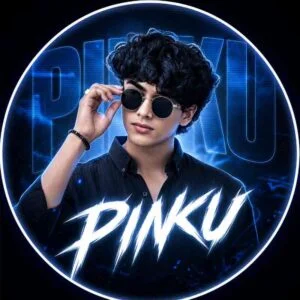
A round profile picture design using the provided image. The image has a strong monochromatic blue and neon white aesthetic. The background features large, translucent block text that says ‘Pinku’ with a horizontal CRT scanline texture overlay. Below, sharp, stylized white text that says ‘Pinku’. High contrast, digital fan art style, flashing neon lighting. The face should not be blue at all. In the original skin. Only a subtle blue-sea tint should reflect in the lighting.
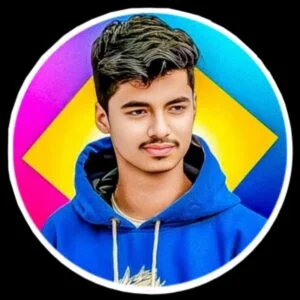
Create a close-up circular profile picture of the person from the reference image, with neat dark hair, a light mustache, and a vibrant blue hoodie. Keep a serious, stylish expression. Use a bold geometric background with a bright yellow center, magenta and deep cyan shapes. Add a clean white circular border and solid black outer background. High-resolution, clean photographic + modern graphic design style.
Make an Aesthetic Profile DP Using ChatGPT Prompts
Creating an aesthetic profile DP with ChatGPT is simple and beginner-friendly. Start with a clear, high-quality selfie where your face is well-lit and easily visible. Upload the photo to ChatGPT, then use one of the aesthetic profile DP prompts below based on your preferred style. Whether you want a bold goggles look with orange lighting or a soft pink and purple design, simply choose the prompt that matches your idea. Replace “YOUR NAME” with your preferred name whenever required.
After generating the image, carefully check the facial resemblance, hairstyle, glasses, clothing, text, lighting, and overall circular design. If the result needs improvement, continue in the same chat and describe the changes clearly, such as keeping the face unchanged, making the name smaller, reducing the border thickness, or darkening the background. Always mention the round DP format and thin white border in your prompt to help achieve a proper profile-picture design instead of a square image.
Frequently Asked Questions
What are aesthetic profile DP prompts?
Aesthetic DP prompts are instructions that help create stylish, creative, and personalized profile pictures using AI.
Can I use my own photo with ChatGPT prompts?
Yes, you can upload a clear selfie and use a suitable prompt to create an aesthetic profile DP.
Can I create round profile DPs with ChatGPT?
Yes, you can specify a circular design with a thin white border in your prompt.
Can I add my name to an aesthetic DP?
Yes, you can include your name using stylish typography or place it neatly below the portrait.
Which colors work best for aesthetic DPs?
Popular choices include red, blue, pink, purple, black, orange, and soft pastel shades.
Can I edit the generated DP further?
Yes, you can ask ChatGPT for specific changes or use apps like PicsArt for additional editing.
Conclusion
ChatGPT makes it easier to create stylish and personalized aesthetic profile DPs without advanced editing skills. With a clear selfie and the right prompt, you can explore different colors, backgrounds, lighting effects, outfits, names, and circular designs. Whether you prefer a bold, elegant, cute, or modern style, these aesthetic DP prompts can help you create a profile picture that matches your personality and looks great across social media platforms.
