


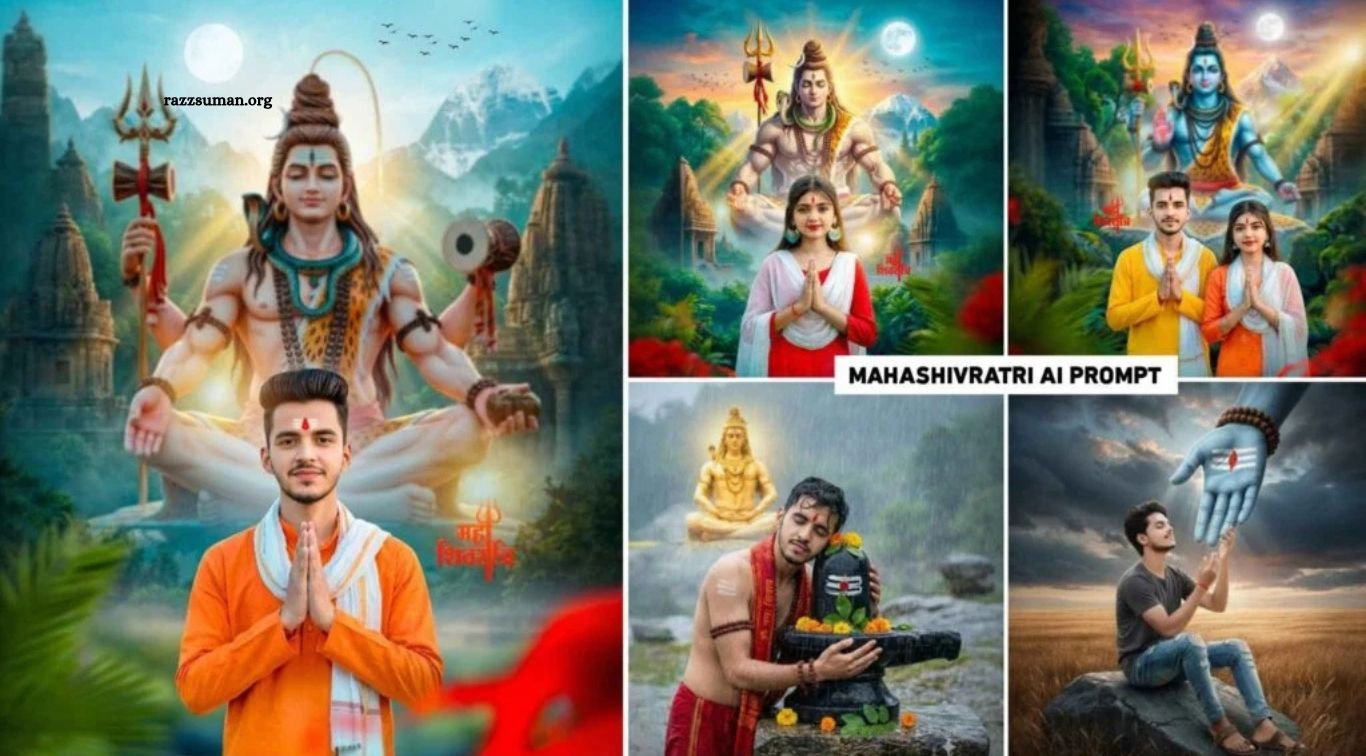
Gemini Mahashivratri AI Photo Prompts 2026 – Mahashivratri is one of the most sacred Hindu festivals, celebrated in honor of Lord Shiva. In 2026, Mahashivratri falls on February 15. If you want to create stunning AI photos for this special occasion and share them on social media, you’re in the right place. This guide will help you create beautiful Mahashivratri-themed images using simple AI prompts.
Mahashivratri is associated with devotion to Lord Shiva and the divine bond between Lord Shiva and Goddess Parvati. With Google Gemini, you can transform your ordinary photos into creative, realistic, and devotional images without advanced editing skills. Explore these Mahashivratri AI photo editing prompts to create unique pictures for Instagram, Facebook, and other social media platforms.
Read More: Instagram Viral Boy AI Photo Editing Prompts 2026 for Gemini & ChatGPT
Gemini Mahashivratri AI Photo Editing Prompts
Creating beautiful Mahashivratri AI photos is now easier than ever with Google Gemini and the right prompts. You only need a clear selfie to generate stunning images featuring Lord Shiva, majestic mountains, blue skies, beautiful sunsets, glowing moons, and birds flying in the background. You can also include lush green trees, traditional temples, and a stylish kurta to create a realistic devotional look, complete with a red tilak on your forehead.
In this article, you’ll find several unique Mahashivratri AI photo editing prompts to help you create different styles of images effortlessly. Each prompt is designed to produce creative results that you can customize according to your preferences. We’ve also included sample images to help you understand the expected results and choose your favorite style for Instagram, Facebook, and other social media platforms.
What Types of Photos Are Going Viral the Most?
It’s difficult to predict exactly which photos will go viral, especially now that AI photo editing has become so popular. People are using AI tools to create unique images based on their personal styles and creative ideas. As a photo editor with five years of experience, I believe that eye-catching images related to a specific festival or trend have strong potential to attract attention. For example, Mahashivratri photos featuring Lord Shiva, majestic mountains, beautiful temples, and devotional backgrounds can create a meaningful and visually appealing look.
To make your Mahashivratri AI photos stand out, try experimenting with different backgrounds, lighting effects, outfits, and creative concepts instead of copying the same style everyone else uses. Use the Gemini Mahashivratri AI photo editing prompts shared in this article to create your own unique images and post them on Instagram, Facebook, or other social media platforms. Although going viral is never guaranteed, creating original and attractive photos is a great way to join the trend and express your creativity.
Mahashivratri AI Image Prompts
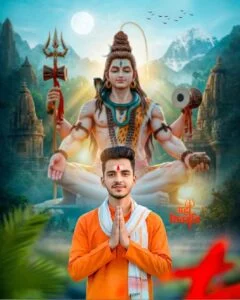
Created a Maha Shivratri devotional portrait photo manipulation. Using my uploaded Namaste pose selfie as the foreground subject. I am wearing an orange kurta and white dupatta, wearing a red Shiv Tilak, looking towards the camera. Background: Mount Kailash with a huge, divine Lord Shiva with a trident and temples on both sides. Dense green forest, light fog, blue sky, birds flying. Golden divine rays,, festive mood, depth of field, ultra-realistic 4K, sharp focus, dramatic lighting
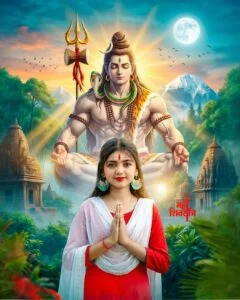
Create a portrait photo Maha Shivratri cinematic devotional edit from a Namaste selfie uploaded by a young girl. The girl is facing the camera. She is wearing a red suit and white scarf, with a red Shiva tilak. The background is of a huge divine Lord Shiva and Trishul Mount Kailash Temple on both sides, dense green forest, full moon, and a setting sky with birds. Light haze, golden rays of the Lord, blue-teal color, festive mood, depth of field, ultra-realistic, 4K, sharp, dramatic light.
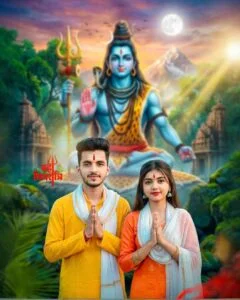
Create a Mahashivratri devotional portrait of a young Indian couple using the uploaded selfie as the foreground subject. Both are looking at the camera. The boy is wearing a yellow kurta and a white dupatta. The girl is wearing an orange suit and a white dupatta. Both have a red Shiva tilak on their foreheads. The background features Lord Shiva with a trident, Mount Kailash, and temples on either side. Dense green forest, sunset, full moon, birds, light fog. Blue teal cinematic grade, festive mood, golden rays of the sun, depth of field, ultra-realistic, 4K, sharp, dramatic lighting. The photo should not be cartoonish at all.
Shivratri AI Image Prompt
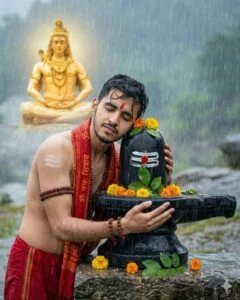
In a powerful rainstorm, a young devotee tightly embraces a black Shiva Lingam with eyes closed in intense spiritual surrender. He is dressed in a red dhoti and a red prayer stole printed with Sanskrit verses, wearing rudraksha bead malas around his neck and arms, with a red tilak on his forehead. The Shiva Lingam is adorned with sacred white symbols, a central red mark, marigold garlands, and fresh green bilva leaves resting on a stone altar. In the mist-covered Himalayan backdrop, a radiant golden form of Lord Shiva sits in meditation, softly glowing and slightly out of focus.
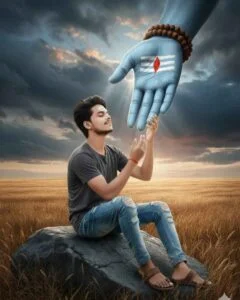
An ultra-detailed, emotionally charged digital scene shows a young man seated on a rock amid a dry grassy landscape beneath a stormy, dramatic sky. He wears torn jeans, a dark T-shirt, and simple sandals. His expression is calm and reverent as he gently holds a colossal blue divine hand of Lord Shiva emerging from the clouds. The sacred hand bears white tripundra markings and a red tilak with rudraksha beads wrapped around the wrist. The overall mood feels mystical, intense, and cinematic, with a strong spiritual presence.
How to Create Mahashivratri AI Photos Using Gemini Prompts
Creating stunning Mahashivratri AI photos with Google Gemini is simple when you use the right prompts and a clear reference image. Below each sample image, you can find a prompt to help you generate a similar photo. Copy the prompt carefully to get the desired results, and choose a selfie in which your face is clearly visible. This will help Gemini create an image that more closely resembles your appearance.
Follow these simple steps to create your own Mahashivratri AI photo using Gemini. You can experiment with different prompts, backgrounds, outfits, and lighting effects to achieve your preferred style.
- Open the Google Gemini website or app on your device.
- Select the Create Image option, if available.
- Click the plus (+) icon and upload your clear selfie.
- Copy your favorite Mahashivratri AI photo editing prompt from this article.
- Paste the prompt into the chat box.
- Click the Send button to start generating your image.
- Wait a few moments while Gemini creates your AI photo.
- Review the generated image and check whether it matches your expectations.
- Click the download or save icon to save the image to your device.
- If the result isn’t satisfactory, adjust the prompt or try again with a different reference photo.
Frequently Asked Questions
How can I create Mahashivratri AI photos using Gemini?
Upload your selfie to Google Gemini, enter a suitable AI prompt, and generate your photo.
Are Mahashivratri AI photo editing prompts free to use?
Yes, you can use these prompts for free, subject to Gemini’s available features and usage limits.
Can I create Lord Shiva photos using Gemini AI?
Yes, you can generate creative Lord Shiva-themed images using detailed prompts.
Which photo is best for Mahashivratri AI editing?
A clear, high-quality selfie with good lighting usually provides better results.
Can I share Gemini Mahashivratri AI photos on Instagram?
Yes, you can share your AI-generated photos on Instagram, Facebook, and other social media platforms.
How can I make my Mahashivratri AI photos unique?
Experiment with different outfits, temple backgrounds, mountain scenery, lighting, and creative prompts.
Conclusion
Mahashivratri AI Photo Editing Prompts 2026 make it easy to create stunning, devotional, and creative images using Google Gemini. With the right prompt and a clear selfie, you can generate beautiful Lord Shiva-themed photos featuring majestic mountains, temples, and attractive backgrounds. Try the prompts shared in this article, customize them to match your style, and share your favorite creations on social media. Celebrate Mahashivratri with creativity and devotion, and make your AI photos stand out.

1 Comment
Pingback: Gemini AI Happy Holi Photo Editing Prompts 2026 | Best Holi Prompts - razzsuman.org