


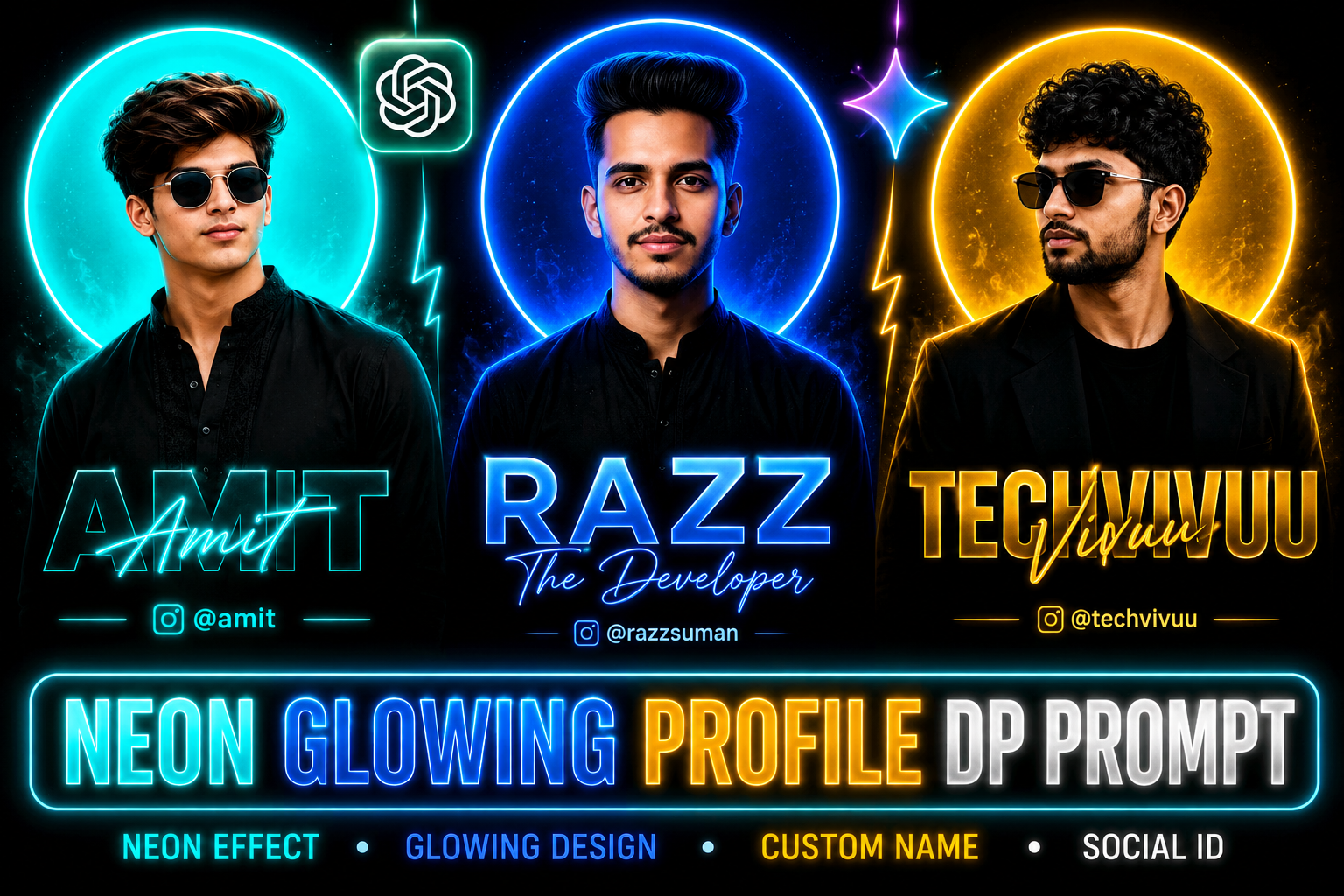
Profile Picture Editing Prompt – A profile picture is more than a simple representation of identity; it reflects your personal style and digital presence. A neon glowing design featuring your name and social media ID can make your profile look modern, creative, and eye-catching. This style works perfectly for WhatsApp DP, Instagram profile pictures, and social media posts.
Creating this professional DP does not require complicated editing software. With a quality personal photo and the right AI editing prompt, you can easily create a stylish neon glowing profile picture. In this article, you will find a simple prompt and useful details to help you create an attractive DP with your name and Instagram ID.
Read More: Dopamine Song CapCut Template 2026 | Trending CapCut Template
Details of Neon Glowing Profile Picture DP Editing
Neon glowing profile pictures offer a modern and stylish look, with each design using different colors, backgrounds, poses, and typography. Some designs feature a bright blue or cyan circular light behind the person, while others use yellow or golden lighting for a bold appearance. Black outfits, dark backgrounds, neon text, names, and Instagram IDs create a professional visual identity that works well for social media profiles.
You can easily customize this style according to your preferences by changing the name, text, colors, lighting, and background in the prompt. Before creating the DP, save the prompt in Notepad and edit the details you want. Then upload your reference photo with the customized prompt to an AI image editing tool to generate a personalized neon glowing profile picture.
Can We Create Such a Profile DP Using Meta AI?
Yes, you can create a similar Neon Glowing Profile DP using Meta AI. The prompt shared in this article can work with various AI tools, including Meta AI, ChatGPT, Gemini, and Grok. The final result largely depends on the quality of your reference photo, so choose an image with a clear face, good lighting, and minimal blur for better results.
Meta AI users can also try Instagram’s Restyle feature to create unique profile pictures. For a more personalized result, mention your preferred neon color, name, Instagram ID, background, and overall style in the prompt. Different photos and AI tools may produce slightly different results, so experimenting with the prompt can help you achieve the desired look.
Profile Picture Editing Prompt
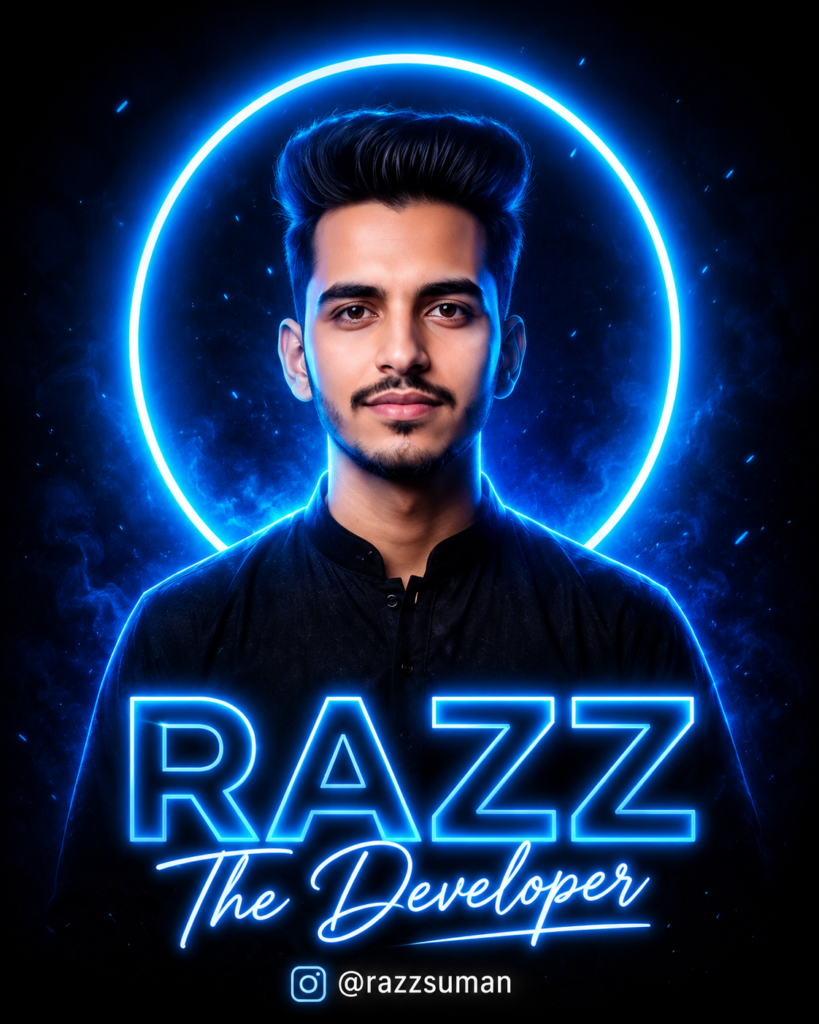
Use the uploaded photo as the exact facial reference. Create an ultra-realistic cinematic 2:3 portrait of a young South Asian man. Preserve his face, identity, hairstyle, beard, skin tone, features, and natural texture exactly. He wears a black traditional kurta with subtle embroidery, facing forward, chest-up. Behind him: ONE large, perfectly round, completely SOLID electric-blue filled circle. No ring, outline, halo, donut, transparency, or empty center. Outside is deep black with a subtle blue edge glow. Add dramatic blue rim lighting, deep blacks, and sharp DSLR realism. At the bottom, render EXACTLY these texts with perfect spelling: “RAZZ”, the Developer Instagram icon @razzsuman. All text must be perfectly legible, centered, correctly spelled, clean, sharp, and professionally aligned. Bold modern blue gradient “RAZZ”, elegant glowing script “The Developer”, smaller “@razzsuman”. No other text, no watermark, 8K.
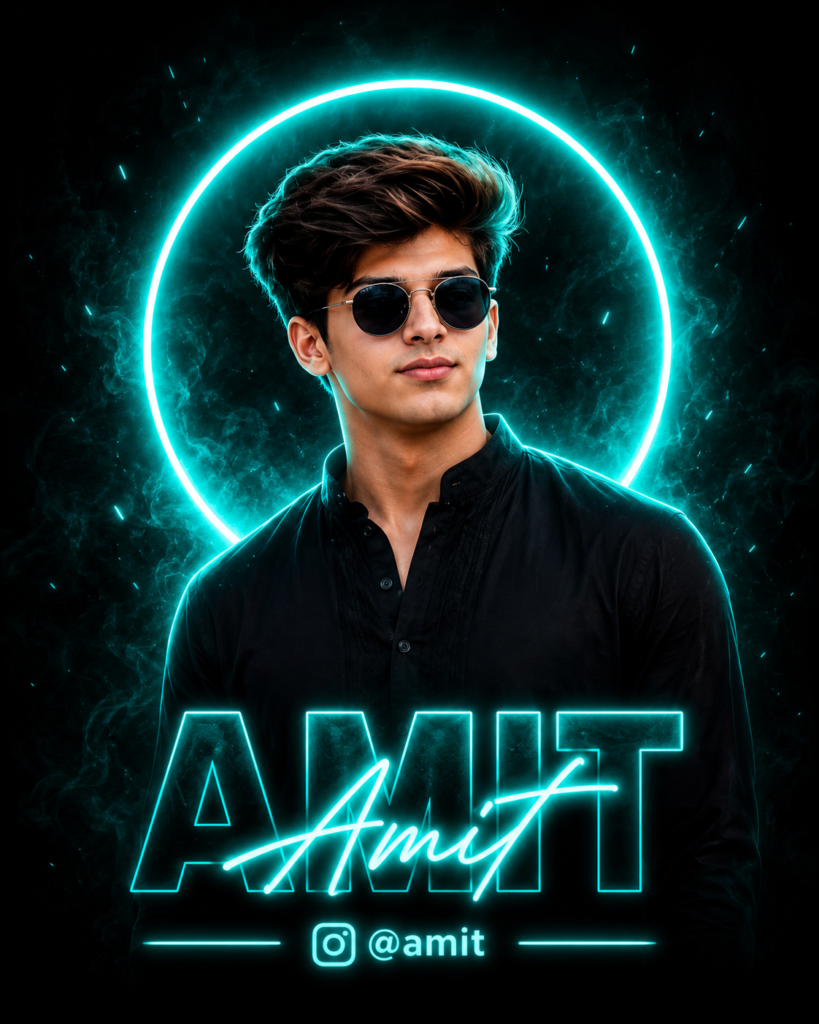
Create a new ultra-realistic cinematic 2:3 branding poster using the uploaded image ONLY as face, identity, glasses (if present), hairstyle, beard, head direction, and general pose reference. Do NOT copy or paste the original photo, background, clothes, lighting, or composition. Preserve the natural face exactly. Dress him in a new premium black high-collar kurta with subtle black embroidery. Chest-up, centered portrait. Behind him, place ONE huge, perfectly round, completely SOLID FILLED cyan/turquoise circle. NO ring, outline, halo, donut, or hollow center. Outside deep black textured background with subtle outer-edge glow. Add cyan rim lighting and realistic glasses reflections. Typography EXACTLY: “Amit” — huge dark bold text “radha” — cyan glowing calligraphy over it Instagram icon + “@amiteditor” Thin cyan lines beside handle. Perfect spelling, sharp alignment, no extra text, no watermark, 8K.
DP Edit Prompt
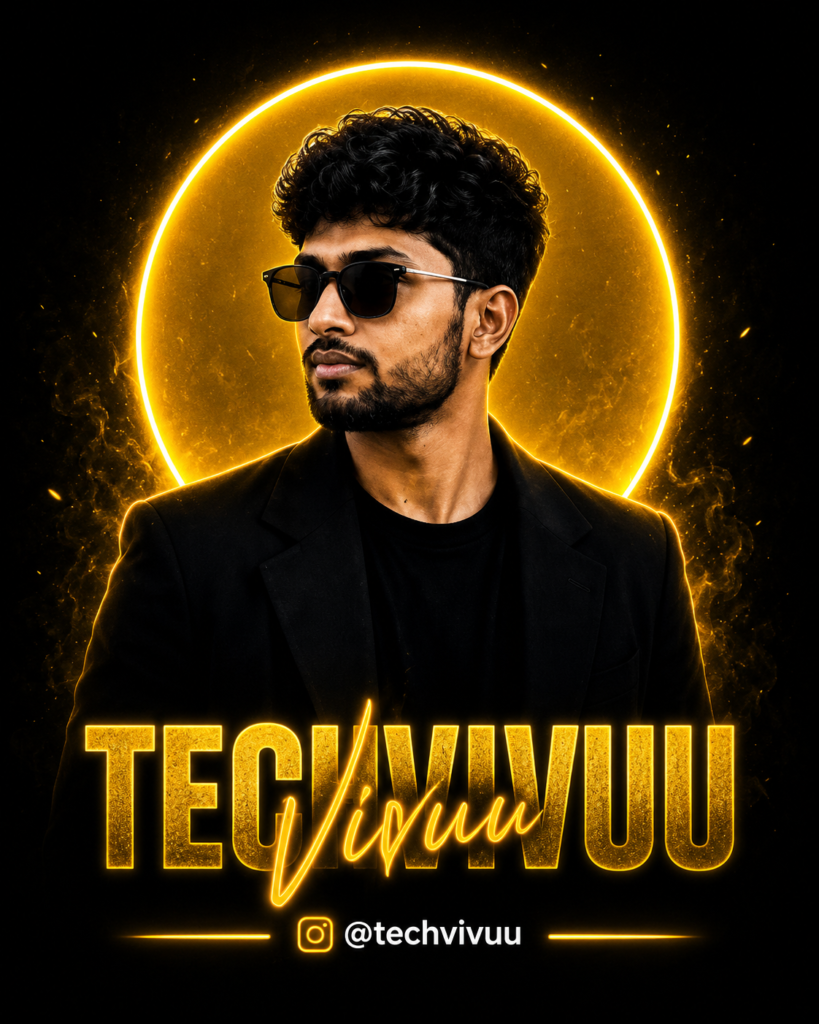
Create a premium cinematic vertical branding portrait of “Techvivu,” a young, stylish South Asian man with curly black hair, trimmed beard, black sunglasses, and a confident side-facing pose. He wears a sleek black blazer over a black T-shirt. Behind him, create a large solid golden-yellow circular backdrop, filled inside, like a glowing sun disc—not a ring light, not a hollow circle, and not a lighting fixture. Keep the surrounding background deep black with subtle golden rim lighting. Ultra-realistic skin, sharp details, dramatic shadows, luxury fashion photography, high contrast, crisp 4K quality. Add bold metallic text: TECHVIVUU” white colour text and golden “Vivuu” signature below. 4:5 ratio
Make a Neon Glowing Profile Picture DP Using a Prompt
Creating a Neon Glowing Profile DP is simple with AI tools. Start by selecting a clear, high-quality photo where your face is visible and well-lit. Upload the photo to your preferred AI tool, then paste the profile picture editing prompt provided in this article. Replace the placeholder details with your name, surname, Instagram ID, and preferred neon color.
Once you submit the prompt, the AI will transform your photo into a stylish profile DP based on your instructions. If the face, text, lighting, or design needs improvement, provide additional instructions in the same chat and generate another version. With the right photo and prompt, you can create a professional neon profile picture without using complicated editing software.
Frequently Asked Questions
What is a Neon Glowing Profile Picture Editing Prompt?
It is an AI prompt used to create stylish profile pictures with neon lighting, glowing effects, custom names, and social media IDs.
Can I use this prompt with Meta AI?
Yes, you can use the prompt with Meta AI and other AI image-generation tools that support photo editing.
Can I change the neon color?
Yes, you can customize the neon color according to your preferred style, such as blue, cyan, purple, or yellow.
Do I need a high-quality photo?
Yes, a clear and well-lit reference photo usually produces better facial details and overall results.
Can I add my Instagram ID to the DP?
Yes, you can include your Instagram ID, username, or other custom text in the editing prompt.
Can I create a Neon DP for WhatsApp?
Yes, the finished Neon Glowing Profile Picture can be used for WhatsApp, Instagram, Facebook, and other social platforms.
Conclusion
A Neon Glowing Profile Picture Editing Prompt provides an easy way to turn an ordinary photo into a stylish and eye-catching DP. With the right reference photo and customized prompt, you can add neon lighting, creative backgrounds, your name, and social media ID without advanced editing skills. AI tools make profile picture customization faster and more accessible. Experiment with different colors, poses, text styles, and backgrounds to create a unique DP that matches your personal style and social media identity.
