


AI photo editing is becoming increasingly popular, with boys, girls, and couples creating unique and eye-catching images using simple AI prompts. Tools like Google Gemini and ChatGPT make it easy to transform ordinary photos into creative, stylish, and viral social media content.
In this article, you’ll find a collection of trending AI photo editing prompts for boys, girls, and couples. These prompts can help you create stunning images for Instagram, Facebook, and other social platforms while exploring different styles, poses, backgrounds, and creative effects.
Read More: Best Gemini 3D AI Prompts for Social Media Profile Picture Editing.
Complete Information About Boy, Girl & Couple AI Prompts
AI-generated photos are trending across social media, especially creative images featuring boys, girls, and couples. In this collection, you’ll find carefully designed prompts for different indoor and outdoor styles. Boy-focused prompts feature stylish outfits, sunglasses, sneakers, and modern poses, while each prompt is designed to create realistic backgrounds and natural-looking results with Google Gemini.
For the best face match, use a high-quality reference photo where the face is clearly visible. After generating your image, you can enhance its overall appearance with Lightroom by adjusting colors, lighting, and contrast. We have also included additional AI photo prompts through our WhatsApp Channel, giving you more creative options to experiment with and create attractive social media photos.
Make a Gemini-Created Photo Even More Stunning
Google Gemini can create impressive AI photos that often look ready to share without additional editing. However, some images may need small adjustments to improve lighting, colors, contrast, or overall appearance. A simple color correction can make the final image look more polished and visually appealing.
For further enhancement, you can use apps like Lightroom for color grading and PicsArt for adding creative elements such as light effects, signatures, or logos. You can also use a photo editor like Hypic to expand the image when needed. Keep editing minimal and only make adjustments when necessary, as excessive color grading or effects can sometimes reduce the natural quality of an AI-generated photo.
Boy & Girl AI Photo Prompts

Generate a creative 8K hyper-realistic blue-teal themed fashion portrait. Use the uploaded reference photo with a 100% face match. A stylish, handsome young man with slightly dark, messy hair, wearing a white gradient half-lining shirt and white pants. He holds a book, looks into the camera, and wears round black sunglasses. Capture it as a candid, high-key, cinematic outdoor café shot with vivid, id colorful branches framing the background.
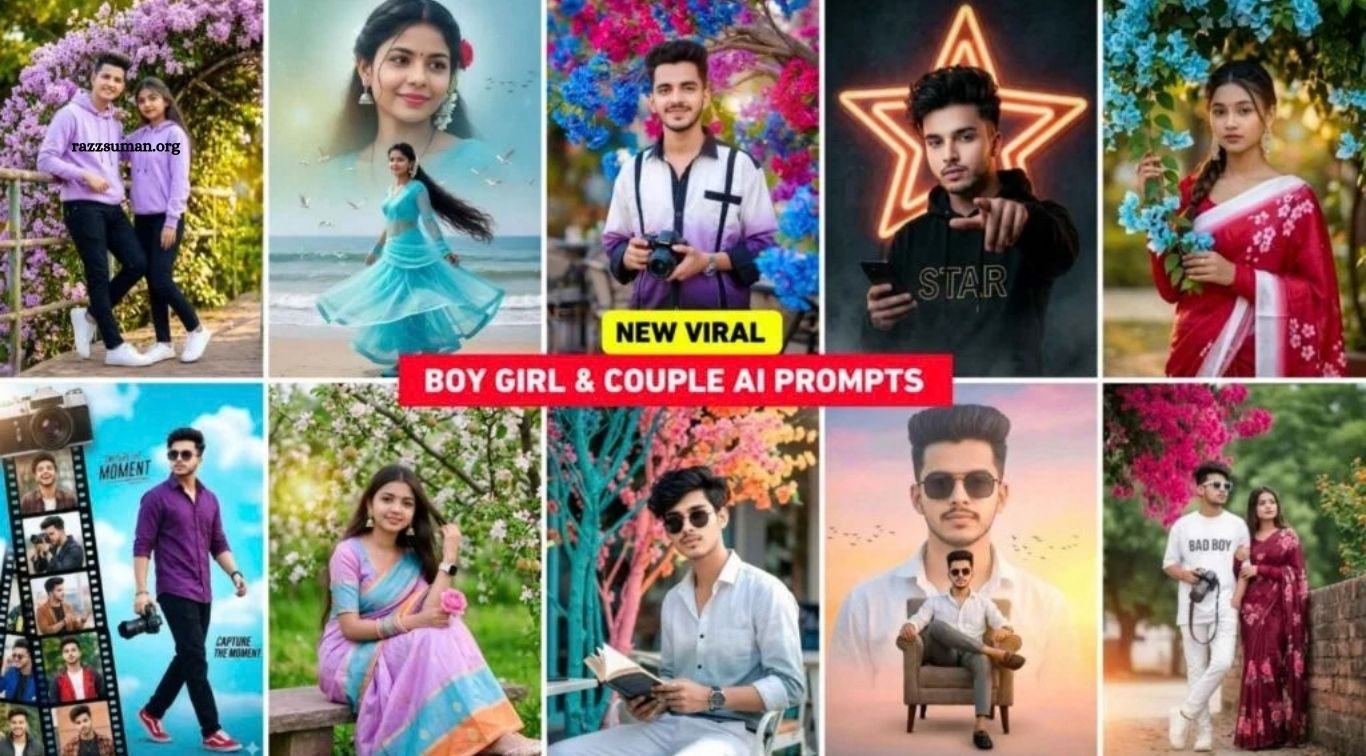
Create an 8K ultra-realistic cinematic portrait of the same woman from the reference photo (face exactly unchanged). She stands outdoors under sky-blue bougainvillea with green branches, holding one branch. She wears a cherry-pink silk saree with a soft white gradient border and cherry-blossom floral prints. Bold makeup, calm closed-mouth expression, and a neon-sided braid with loose, flowing hair. Sharp focus, highly detailed.
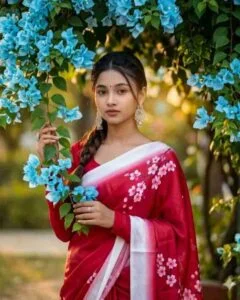
Generate a couple’s photo featuring a 20-year-old girl and a stylish 21-year-old guy. The guy is leaning against a metal railing, with his other hand resting on the girl’s shoulder, displaying a round smartwatch. High-quality professional photography with a shallow depth of field; the girl is wearing a matching outfit. Attire: Lavender-colored hoodies and black pants, paired with clean, bright-colored sneakers. Lavender Bougainvillea and a garden setting. Both White shoes.
Boy And Couple Prompts

Create an ultra-realistic cinematic full-body portrait of a beautiful Indian girl with her real face and expressions. She wears a blue net anarkali with a matching dupatta, blue bangles, juttis, a mangalsutra, and a white gajra bun. Bright, expressive eyes, glowing makeup, soft smile. Background: dreamy sky gradient with golden sunset clouds and cinematic lighting. Composition: large close-up face above, full body standing on green grass below. Pose: holding a fresh paddy stem with a flowing dupatta. Add sparkles and warm cinematic glow.
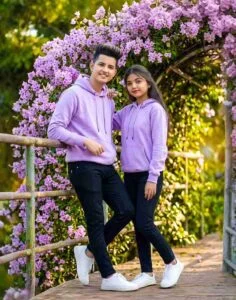
Create a creative poster featuring the same young man (from the reference image) walking confidently with an 8K DSLR camera. He wears a stylish purple shirt, red sneakers, and sunglasses against a soft sky-blue background. On the left, add a vertical film-strip collage with multiple candid portraits of him in different outfits and poses, topped with a large vintage camera graphic. Theme: cinematic photography, modern design, soft lighting, vibrant high-contrast look.

Ultra-realistic cinematic full-body portrait of a beautiful Indian girl with her real face and expressions, wearing a blue net anarkali, matching dupatta, blue churi & juttis, mangalsutra, white gajra in a bun. Bright, expressive eyes, glowing makeup, soft smile. Background: dreamy sky gradient with golden sunset clouds, cinematic light.Composition: large close-up face above, full-body on green grass below. Pose: holding fresh paddy stems, dupatta flowing. Effects: sparkles, warm glow, cinematic tone

Create a couple photo with both faces 100% identical to the reference. The girl wears a maroon saree with pink floral patterns and a matching long-sleeved blouse. The boy’s outfit stays unchanged. They stand outdoors beside a vibrant bush of bright pink flowers, green foliage, a clear sky, and hints of orange–yellow blooms.
Create Boy, Girl & Couple AI Photos Using Gemini Prompts
Creating AI photos with Google Gemini is simple, even for beginners. With the right prompt and a clear selfie, you can generate creative photos featuring boys, girls, or couples in different styles and settings. For better results, use a high-quality selfie with a clearly visible face and follow the prompt carefully.
How to Create AI Photos with Gemini
- Install the Gemini app from the Play Store.
- Open the app and sign in with your Google account.
- Select the Create Image option.
- Tap the Media icon and upload your clear selfie or reference photo.
- Copy your preferred AI photo prompt and paste it into the chat box.
- Tap the Send button and wait for Gemini to process your request.
- Gemini will generate the image based on your prompt and reference photo.
- Open the generated image to check the result.
- Tap the Download option to save the photo to your device.
- Repeat the same process with different prompts to create more unique Boy, Girl, and Couple AI photos.
Google Gemini Photo Enhance AI Prompt
After creating an AI photo, many users enhance it before sharing it on Instagram or other social platforms. Apps like PicsArt, Remini, and other photo-enhancement tools are commonly used to improve sharpness, clarity, and overall image quality. However, Google Gemini can also be used to enhance images and create a cleaner, high-resolution result.
To enhance your photo with Gemini, you simply need an effective photo-enhancement prompt. You can find our dedicated AI Photo Enhance Prompt in the AI Photo Editing category of our website. Alternatively, use the website’s search option and type “Enhance Prompt” to find the related article. Follow the provided prompt to improve blurry or low-quality photos and achieve a sharper, more detailed HD-style result.
Frequently Asked Questions
What are Google Gemini AI photo editing prompts?
They are instructions that help Gemini create or transform photos in specific styles, poses, and settings.
Can I create boy AI photos with Gemini?
Yes, you can use suitable prompts to create stylish and realistic boy photos.
Can Gemini create girl and couple photos?
Yes, Gemini can generate creative girl and couple images using detailed prompts and reference photos.
Which photo works best with Gemini prompts?
Use a clear, high-quality photo where the face is clearly visible for better results.
Can I use these AI photos on Instagram?
Yes, you can use your generated photos for social media posts, profiles, and creative content.
How can I improve my Gemini AI photos?
You can enhance lighting, colors, sharpness, and other details using suitable editing tools.
Conclusion
Google Gemini makes it easy to create creative and realistic AI photos for boys, girls, and couples using the right prompts and clear reference images. With different styles, poses, outfits, and backgrounds, you can create unique photos for social media and personal use. Use the prompts shared in this article, experiment with different ideas, and make small edits when needed to achieve a polished final result. Always choose a clear reference photo and avoid excessive editing to keep your AI images natural and realistic.

1 Comment
Pingback: IPL 2026 AI Photo Editing Prompts | All Team Prompts - razzsuman.org