


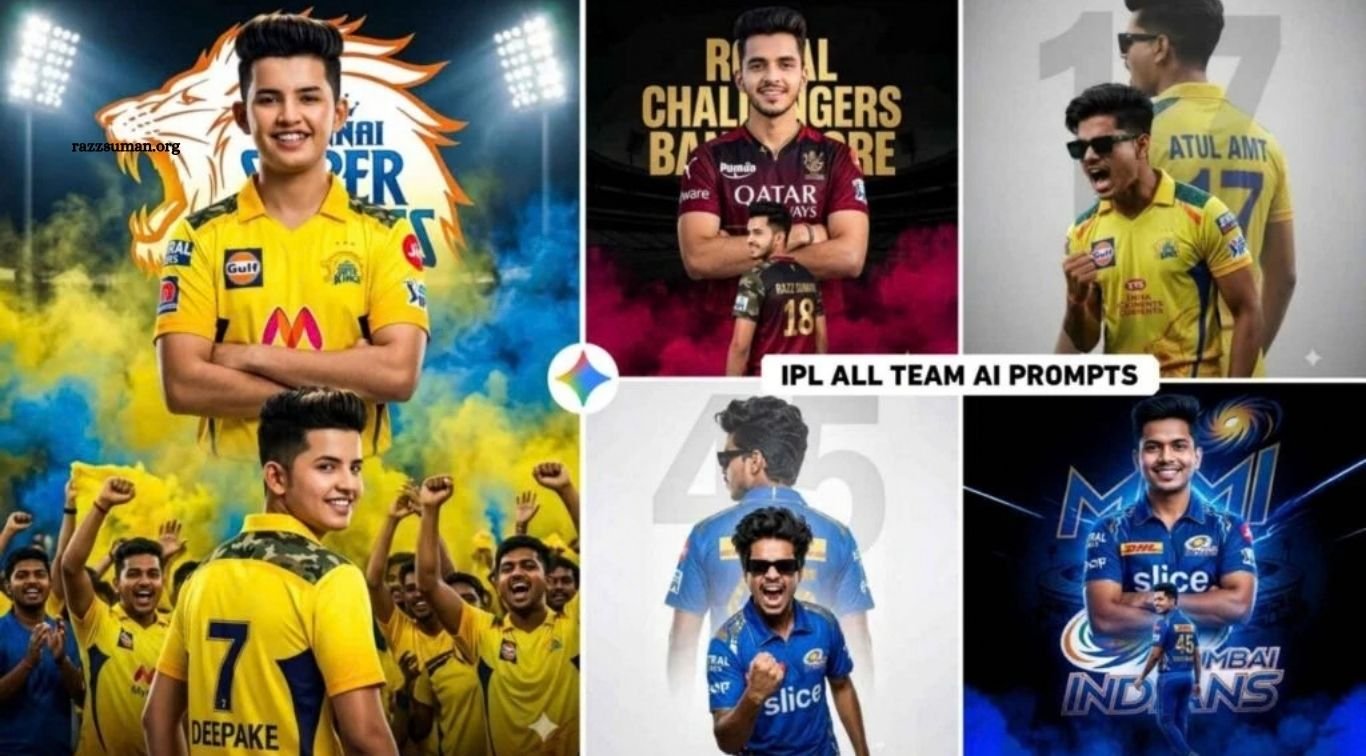
The IPL craze is once again taking over social media in 2026, with fans sharing creative photos inspired by their favorite teams and players. AI tools like ChatGPT and Google Gemini have made it easier than ever to create stunning IPL-themed images featuring team jerseys, cricket stadiums, cinematic lighting, and realistic backgrounds.
In this article, we’ll share the latest IPL 2026 AI photo editing prompts that you can easily copy and use with your own photo. These prompts are designed to create realistic, high-quality images with professional stadium vibes, dramatic lighting, sharp details, and a DSLR-style bokeh effect—perfect for Instagram, YouTube, and other social media platforms.
Read More: Boy, Girl & Couple AI Photo Editing Prompts for Google Gemini
Complete Guide to IPL 2026 AI Photo Editing
Every IPL team has its own unique identity, including its signature colors, branding, logos, and stadium atmosphere. To create realistic team-themed photos, it is important to match these visual elements with the selected team. For example, Chennai Super Kings is associated with a bright yellow theme, while Mumbai Indians commonly features a blue-based visual style.
In this guide, we’ve compiled ready-to-use IPL 2026 AI photo editing prompts for different teams. Simply copy a prompt, upload your photo to your preferred AI tool, and generate a customized IPL-style image. We’ve also included creative prompts for effects such as double exposure, cinematic lighting, and dramatic backgrounds. Each prompt is designed to capture the team’s visual identity through colors, lighting, stadium-inspired elements, and background graphics while maintaining a realistic appearance.
Can We Create Photos for the IPL Manually?
Yes, IPL-themed photos can be created manually using photo editing apps, although some basic editing skills are helpful. For mobile editing, PicsArt is a popular and user-friendly option. Start by taking a clear photo of yourself and deciding which IPL team you want to feature. Then collect a suitable stadium background, team graphics, logos, and PNG elements that match the team’s theme.
Next, open PicsArt and use the photo editing tool to add your selected background. Import your photo using the Add Photo option and adjust its position, size, and lighting to blend naturally with the background. You can also use the Sticker tool to find IPL-related graphics and decorative elements. Once the design is complete, use an app such as Lightroom for final color grading and adjustments. Matching the colors, shadows, contrast, and lighting can help give the final image a more realistic and professional appearance.
IPL AI Photo Prompts
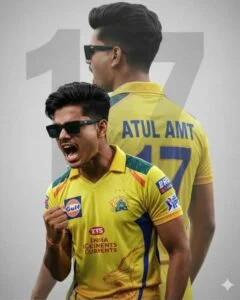
Ultra-realistic cinematic cricket poster of the uploaded man, fair glass skin, soft red lips, messy fade mullet hairstyle. Dual-pose composition on a clean light-grey textured background with a subtle “07”. Back pose: Wearing a golden-yellow Chennai Super Kings jersey with blue accents, “ANUP” and “07” on the back, turning with an intense side profile. Front pose: Celebrating with clenched fist, shouting, full CSK kit, athletic build. Details: sharp jawline, clean shave, slight sweat highlights, cinematic smoke and dust, premium studio lighting, 85mm lens look, ultra-sharp, 8K, vertical poster, signature “autophile.s_d”.
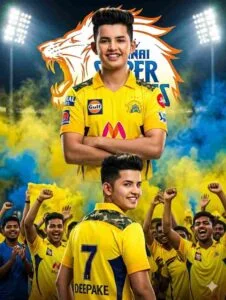
Create a dramatic,ultra-realistic IPL-style poster using my photo. Keep my facial features the same. Dress me in a Chennai Super Kings (CSK) inspired yellow jersey with navy blue accents and white sponsor logos on the chest and sleeves. Create two versions: a center chest-up portrait with arms crossed and a confident smile, and a lower back-body pose wearing a yellow jersey with navy blue “7 DEEPAKE ” on the back and army print on both shoulders, smiling and surrounded.
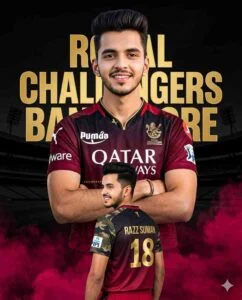
Create a 4:5 ultra-realistic IPL-style poster using my uploaded photo. Keep 100% exact facial features (strict face consistency). Outfit: Royal Challengers Bangalore (RCB) 2025 jersey, white sponsor logos. Composition (dual pose): 1) Center: chest-up portrait, arms crossed, confident smile. 2) Below: back pose wearing RCB jersey with golden “18 – Razz Suman”, army-print shoulders, smiling. Background: dark black with golden “Royal Challengers Bangalore” text logo and stadium silhouette. Effects: maroon smoke at bottom, high-contrast dramatic lighting, sharp details, vibrant colors, 8K, vertical poster.
IPL AI Image Prompt
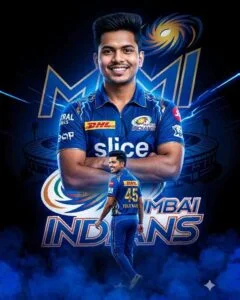
Create a 4:5 ultra-realistic IPL-style poster using my uploaded photo with 100% exact facial features (strict consistency). Outfit: Mumbai Indians (MI) 2025 jersey with white & gold sponsor logos. Composition (dual pose): 1) Center: chest-up portrait, arms crossed, confident smile. 2) Below: full back pose with golden “45 – YOUR NAME”, blue lightning shoulder design, smiling. Background: black–blue gradient with glowing “Mumbai Indians” text, MI logo, and stadium silhouette. Effects: deep blue smoke at bottom, blue energy streaks, high-contrast cinematic lighting, sharp, vibrant, 8K, vertical poster.
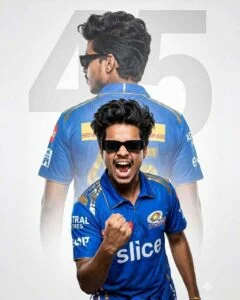
Create a 4:6 ultra-realistic sports poster of a young South Asian man with quiff-style black hair, a light mustache, and black rectangular sunglasses. Outfit: Mumbai Indians (MI) blue-gold jersey with official logos. Composition (double exposure): 1) Foreground: mid-shout celebration, clenched fist, intense expression. 2) Background: larger faded back view with “SONU” and number “45”. Background: light grey textured with subtle “45” watermark. Style: cinematic lighting, high contrast, sharp focus, ultra-detailed, 8K, professional sports poster.
How to Create IPL 2026 AI Photos Using Prompts?
Creating IPL 2026 AI photos is simple when you have a good-quality reference image and the right prompt. Start by choosing a clear, well-lit photo that shows your face properly. A close-up or portrait image usually works better than a full-body photo because AI tools can identify facial features more accurately. Next, choose the IPL team you want to feature and copy the corresponding AI photo editing prompt from this article.
Once your photo and prompt are ready, open your preferred AI image-generation tool, such as Google Gemini. Select the image creation option, upload your reference photo, and paste the copied prompt into the chat box. Submit the request and wait for the image to generate. If the first result does not match your expectations, try the prompt again with the same or another high-quality photo. Generating a few variations can help you achieve a more realistic and polished IPL-themed image.
Frequently Asked Questions
What are IPL 2026 AI photo editing prompts?
They are ready-to-use prompts for creating realistic IPL-themed photos with AI tools.
Can I create IPL team photos with my own face?
Yes, you can upload your photo and use a suitable team prompt to create a personalized image.
Which AI tools can create IPL photos?
Tools such as Google Gemini and ChatGPT can be used to generate IPL-style AI photos.
Do I need a high-quality photo?
Yes, a clear and well-lit face photo usually produces better AI-generated results.
Can I create photos for all IPL teams?
Yes, you can use different prompts designed around each team’s colors and visual style.
Can I use these IPL AI photos on social media?
Yes, you can share your creations on platforms such as Instagram, Facebook, and YouTube.
Conclusion
IPL 2026 AI photo editing prompts make it easy to create creative and realistic team-themed photos without advanced editing skills. With a clear reference photo, the right prompt, and an AI image tool like Google Gemini or ChatGPT, you can create professional-looking images featuring team colors, jerseys, stadium backgrounds, cinematic lighting, and unique effects. Whether you support one team or want to explore different IPL themes, these ready-to-use prompts can help you create engaging content for social media.

1 Comment
Pingback: Boy & Girl 3-Layer Collage-Style AI Photo Editing Prompts - razzsuman.org