


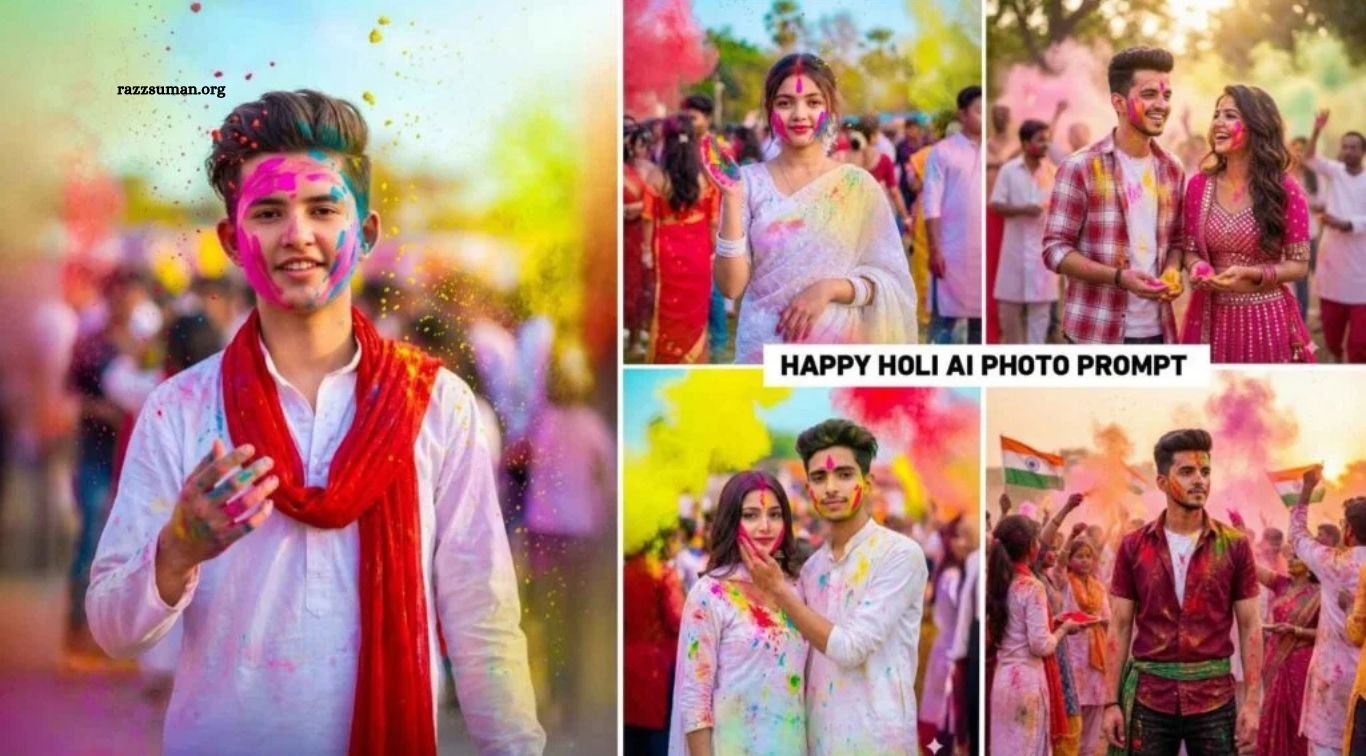
Gemini Happy Holi AI Photo Editing Prompts 2026 – Holi, the vibrant festival of colors, is a perfect occasion to create stunning, festive photos with AI. From colorful portraits to creative Holi-themed edits, AI-generated images are trending across Instagram and YouTube, inspiring users to try unique styles.
With tools like Google Gemini and ChatGPT, you can transform a simple selfie into an eye-catching Holi photo using the right prompt. In this article, we’ve shared the latest trending Holi AI photo editing prompts for 2026 to help you create beautiful, realistic, and share-worthy images with ease.
Read More: Mahashivratri AI Photo Editing Prompts 2026 | Best Gemini AI Prompts for Lord Shiva Photos
Gemini Happy Holi AI Photo Editing Prompts 2026
Holi photo editing is popular among everyone, including boys, girls, and couples. That’s why we’ve included a variety of Gemini Happy Holi AI photo editing prompts for 2026 to suit different styles and preferences. Simply explore the sample images, choose your favorite look, and use the prompt provided below each photo to create your own Holi-themed picture.
For realistic results, Google Gemini is a great tool to try, helping you transform an ordinary selfie into a vibrant Holi portrait. You can also experiment with ChatGPT to create unique images using the same prompts, although results may vary depending on the tool and the prompt. In the next section, we’ll explain what you need to get started and how to create your own stunning Holi photos easily.
Do You Also Need a Background PNG Image?
No, you don’t need a background PNG image to create stunning AI photos. Whether you’re using Google Gemini or ChatGPT, all you need is a high-quality selfie and the right prompt. Your photo provides the facial reference, while the prompt tells the AI how you want your Holi-themed image to look, including the colors, background, outfit, and overall style.
For the best results, upload a clear, well-lit photo in which your face is fully visible. This helps the AI maintain your facial features and create a more realistic image, although an exact match cannot always be guaranteed. If necessary, enhance your selfie using an HD photo editing app before uploading it. With a good-quality reference photo and a detailed prompt, you can create beautiful, realistic Holi photos without needing any additional background images.
Gemini Holi Photo Prompt
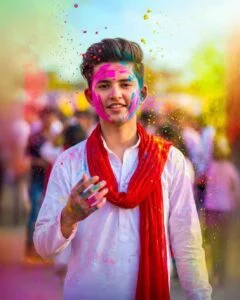
Create a cinematic, ultra-realistic photo(2:3) of a young Indian boy celebrating Holi. He is wearing a white kurta and a red dupatta around his neck. The boy has some vibrant pink and blue gulal on his face, with colorful red,, yellow,, and blue powder flying in slow motion. He has a slight smile and one hand raised. His hand is also covered in color. Natural outdoor background, festive atmosphere, light blue sky, shallow depth of fiel,d,, sharp focus, realistic skin texture, vibrant but natural colors. Do not change the boy’s face. The boy is looking straight at the camera. The boy’s kurta should be fully visible. The boy’s hand should not be raised too high.
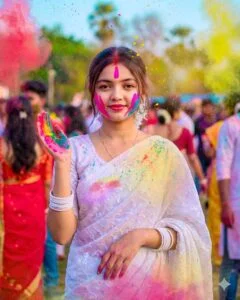
Create a cinematic, ultra-realistic image of a young Indian girl celebrating Holi. She wears an embroidered white saree and matching blouse with long hair and white bangles. Her face is dusted with pink and blue powder, and vibrant colored powder (red, yellow, blue) floats in the air. She has a gentle smile with one hand slightly raised, also covered in powder. The setting is outdoors with a light blue sky, shallow depth of field, and a festive atmosphere. Keep the girl’s face unchanged, focusing on realistic skin texture and vibrant yet natural color.
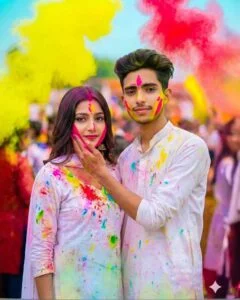
A couple celebrating Holi, with the man hugging the woman from behind, gently touching her face smeared with pink and red powder. Both in white clothes stained with vibrant colors, the woman wearing a colorful dupatta. They share a slight smile, looking directly at the camera. They stand upright, with faces resembling the uploaded photo. Natural outdoor setting, festive mood, light blue sky, colorful powder floating in the air. The background includes people celebrating Holi. Shallow depth of field, sharp focus, realistic skin textu re,vibrant colors
Holi AI Photo Editing Prompt
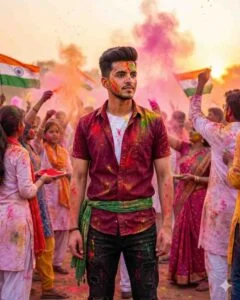
An ultra-realistic. Uploaded image without changing the face, without glasses, with a calm face, wearing a short maroon luxury shirt, open, and a white T-shirt, and black damaged pants with a green scarf tied around the waist. The shirt and pants are very dirty from colorful Holi powder; he is standing, looking at someone, and behind him there are also many people dressed similarly, carrying Indian-style fliers; the air is also seen filled with colorful Holi powder. Nothing changes my face.
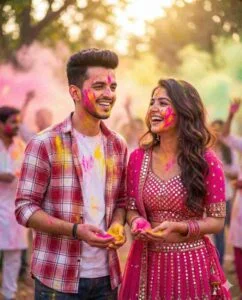
A cinematic portrait of the young man from the reference image with his exact facial features,s short dark hair, and light beard, smiling joyfully. He stands next to a girl with long,g wavy dark hair, both celebrating Holi with pink and yellow powder on their faces and hands. The girl wears a bright pink lehenga with mirror work. The background is soft-focus, enhancing the festive mood.
How to Create Happy Holi AI Photos Using Prompts
Creating stunning Holi-themed photos with Google Gemini is simple, even if you’re a beginner. To get started, copy the prompt for your favorite image and open the Gemini app on your device. Sign in to your account and select the image-generation option, if available. Next, tap the plus (+) icon, choose the option to upload a file or select an image from your gallery, and upload a clear, high-quality photo of yourself.
Once your photo is uploaded, paste the copied prompt into the message box and tap the Send icon to begin generating your image. Wait a few moments for Gemini to create your personalized Holi photo. When the image is ready, open it and use the available download or save option to store it on your device. That’s it! Follow these simple steps to create colorful, realistic-looking Happy Holi AI photos that are ready to share on Instagram, Facebook, and other social media platforms.
Frequently Asked Questions
What are Gemini AI Happy Holi Photo Editing Prompts?
These are text instructions that help Google Gemini create colorful, creative Holi-themed photos using your selfie.
How can I create Happy Holi AI photos with Gemini?
Upload a clear selfie to Gemini, paste your favorite Holi prompt, and generate your image.
Do I need a background PNG to create Holi AI photos?
No, you only need a clear selfie and a detailed prompt. Gemini can generate a suitable background automatically.
Can boys, girls, and couples use Holi photo editing prompts?
Yes, these prompts can be customized to create Holi photos for boys, girls, couples, and friends.
How can I get realistic results with Gemini Holi prompts?
Use a high-quality selfie with good lighting and clearly describe the outfit, colors, background, and desired style.
Are Gemini AI Happy Holi photos free to create?
Gemini may offer free image generation, but usage limits and available features can vary depending on your account and current plan.
Conclusion
Gemini AI Happy Holi Photo Editing Prompts 2026 make it easy to transform your ordinary selfies into colorful, creative, and eye-catching Holi photos. With a clear reference image and the right prompt, you can create unique Holi portraits without needing professional editing skills or a separate background PNG. Whether you’re looking for stylish boys’ photos, beautiful girls’ portraits, or romantic couple images, these prompts can help bring your ideas to life. Try your favorite Holi prompts, create stunning AI photos, and share your colorful creations with friends and family on social media.
