


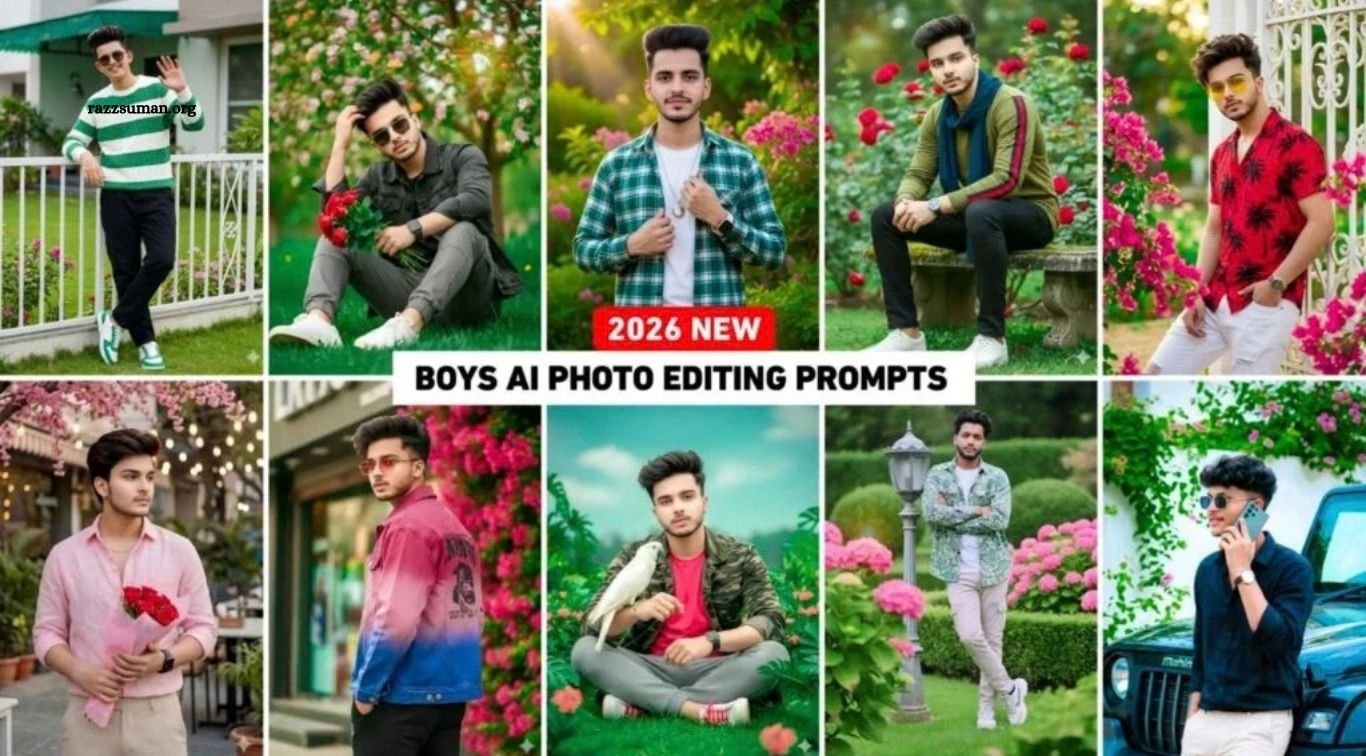
If you’re interested in creating stylish and creative photos with AI, you’re in the right place. With powerful tools like Google Gemini, ChatGPT, and Grok AI, you can transform your ordinary pictures into eye-catching images using the right prompts. In this article, we’re sharing a collection of trending AI photo editing prompts specially designed for boys.
From stylish portraits to unique and modern photo edits, these prompts can help you create impressive images for social media and personal use. Many AI-generated photos are trending on platforms like Instagram, and with these prompts, you can experiment with different looks and creative styles. While these prompts can work well with Gemini, you can also try them with other compatible AI image-generation and editing tools.
Read More: Boy & Girl 3-Layer Collage-Style AI Photo Editing Prompts
Complete Guide to Trending Boy AI Photo Editing Prompts
The photos featured in this article are stylish, creative, and designed to give your AI-generated images a unique look. We tested these prompts ourselves and selected the ones that produced impressive results. The collection includes prompts for both full-body and half-body portraits, featuring stylish outfits and attractive outdoor settings with lush green trees, plants, and colorful flowers.
If you want to create photos similar to the examples shown in this article, simply copy a prompt and try it with Google Gemini. You can also experiment with ChatGPT and other AI image-generation tools to create different styles and personalized looks. These prompts are ideal for creating eye-catching photos for Instagram, Facebook, and other social media platforms.
Avoid These Mistakes While AI Photo Editing
Many people enjoy creating photos with AI, but poor results often happen because of a few simple mistakes. One of the most common issues is that the generated image does not accurately match the person’s face. To improve facial accuracy, always upload a clear, high-quality selfie where your facial features are fully visible. Avoid blurry, dark, or heavily edited photos, as the AI uses the uploaded image as a reference. For better results, you can enhance your selfie with a reliable photo-editing or image-enhancement app before using it with your prompt.
Another important factor is how you write your prompt. Clearly mention that the generated image should maintain the facial features and identity shown in the uploaded reference photo. You can include instructions such as “Keep the same facial identity as the uploaded photo” or “Preserve the original facial features and appearance.” Combining a clear reference image with a detailed prompt can help you achieve more natural and consistent AI photo-editing results.
Trending Boy AI Photo Prompts
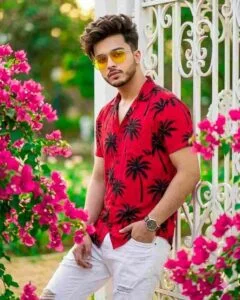
Ultra-realistic 8K fashion portrait of a stylish young man leaning casually beside an elegant white iron gate framed by vibrant pink bougainvillea flowers with a soft bokeh background. He has messy hair, a light beard, yellow aviator sunglasses, a red floral shirt with black palm prints, white ripped jeans, and a wristwatch, looking confidently at the camera with one hand in his pocket.
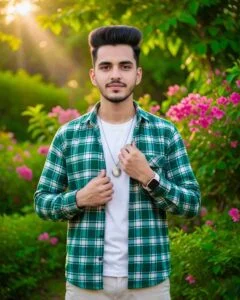
Ultra-realistic 8K cinematic waist-up portrait using the uploaded image as the exact face reference (no face or hairstyle changes). A stylish young man with black hair and a straight build stands with a soft expression, buttoning his shirt with his right hand. He wears a green-and-white shirt over a white T-shirt, a silver locket, a white smartwatch, and light pants slightly visible. Lush green leaves and bright pink flowers in the background with rich cinematic lighting and ultra-realistic details.

Ultra-realistic outdoor portrait of a young Indian man in his early twenties with slightly wavy hair wearing sunglasses. He has an average build and wears a white-green striped sweater, black pants, and white-green sneakers. He casually leans against a white metal fence. The background shows a bright green lawn, pink flowering plants, and a modern house with a green awning in soft natural light.
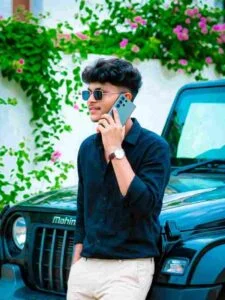
Ultra-realistic 4:5 image of a stylish young man standing in bright sunlight, leaning on a black Thar while talking on a grey Samsung S26 Ultra. He wears a black linen shirt, beige bell-bottom pants, square sunglasses, and a wristwatch, with modern wolf-style hair. Calm, confident expression, looking sideways. Background: clean white wall covered with lush green plants and small pink flowers.
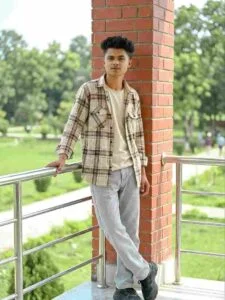
A stylish teenage boy with medium-length wavy dark hair. He is leaning back casually against a red brick pillar on a balcony in a park. One hand rests on a shiny metal railing, and one leg slightly crossed over the other…He wears a loose beige and brown plaid flannel shirt over a light inner layer, light grey relaxed-fit jeans, and chunky black sneakers. Bright natural daylight with soft background bokeh
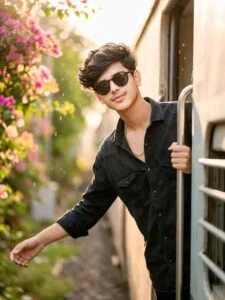
Ultra-realistic 8K cinematic portrait using the reference face. A handsome young man with slightly wavy dark hair stands at the open door of a moving train, holding the door with one hand and stretching the other into the wind. He wears a black denim shirt and black round sunglasses with a soft smile. The background shows a cool, foggy morning with warm sunlight, colorful bougainvillea flowers, blurred green leaves, cinematic lighting, ng and depth-of-field bokeh.

Ultra-realistic portrait of a young South Asian man sitting on a garden bench surrounded by vibrant pink bougainvillea flowers, wearing a white shirt and black pants, holding a pink flower, looking upward with a soft smile, warm golden sunlight, lush green background, cinematic lighting, shallow depth of field, DSLR photography, 85mm lens, 8k, no fchan n o issue; same as the uploaded pic’s face.
Important Information
The prompts shared in this article were not copied directly from any AI tool. We created, customized, and tested them manually before sharing them, and included them based on the results we achieved. These prompts are provided for informational and educational purposes only and are intended to help readers experiment with AI photo editing.
In this article, we have included seven different types of AI photo editing prompts, along with reference images to help you understand the expected results. If you’re looking for more creative prompts and reference photos, you can join our WhatsApp channel for regular updates and new content.
How to Create Trending Boy AI Photo Editing Prompts
Before creating your photo, make sure you follow the important tips mentioned above to avoid common AI photo-editing mistakes. Choose the reference image you like, copy its corresponding prompt, and use it with Google Gemini. You can access Gemini through its website or app. If a Create Photo button is provided, simply click it to open the image-generation tool directly.
Steps to Create Your AI Photo
- Log in to Google Gemini using your Gmail account.
- Select the Create Image option.
- Click the + button at the bottom and upload your clear reference photo.
- Paste the AI photo-editing prompt you copied from this article into the chat box.
- Click the Send button to start generating your image.
- Wait while Gemini processes your prompt and creates the photo.
- Once the image is generated, review the result and make any necessary changes.
- Click on the generated image and save it to your device.
- If the result isn’t what you expected, refine the prompt or try generating the image again.
Frequently Asked Questions
What are AI photo editing prompts for boys?
They are ready-to-use instructions that help AI tools create stylish and creative photos for boys.
Can I use these prompts in Google Gemini?
Yes, you can copy the prompts and use them with Google Gemini to create AI-generated photos.
Can I use the prompts with ChatGPT?
Yes, compatible ChatGPT image-generation features can also be used with these prompts.
What type of photos can I create with these prompts?
You can create portraits, half-body, full-body, outdoor, stylish, and other creative photo styles.
How can I get better AI photo results?
Use a clear, high-quality reference photo and provide a detailed prompt that describes the desired style.
Why doesn’t my AI photo match my face?
A low-quality or unclear reference image can affect facial accuracy. Use a clear selfie with your facial features fully visible.
Conclusion
AI photo editing has made it easier to create stylish and creative photos in just a few steps. With the right prompts and a clear reference image, you can use tools like Gemini and ChatGPT to experiment with different looks, backgrounds, and photography styles. We hope these trending AI photo editing prompts help you create unique and eye-catching photos. Try different prompts, make small adjustments, and explore new styles to get the results you want.

1 Comment
Pingback: Best ICC Men’s T20 World Cup 2026 AI Photo Editing Prompts for Gemini - razzsuman.org