

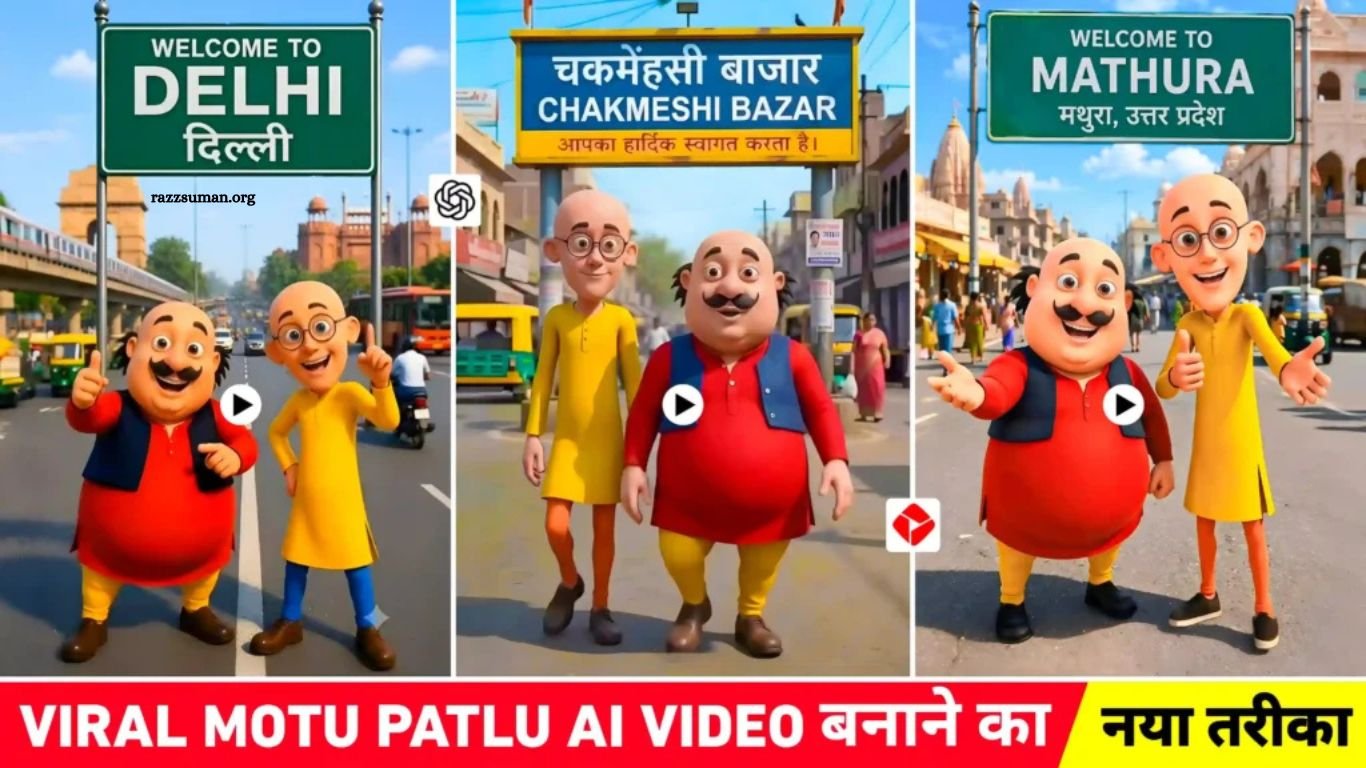
Motu Patlu AI Video Editing is currently trending across social media platforms like Instagram Reels, YouTube Shorts, and Facebook Reels. Many viral videos show Motu and Patlu standing at different locations such as cities, villages, markets, railway stations, temples, and famous tourist places. The realistic background, location name boards, and creative AI effects make these videos highly engaging.
With the help of AI image-to-video tools, creators can easily convert simple images into talking videos where Motu and Patlu share funny dialogues about any chosen place. This unique AI trend is gaining millions of views, and if you also want to create a viral Motu Patlu AI video featuring your village, city, or favorite location, this guide will help you understand the complete process.
Read More: Best Jagannath Rath Yatra AI Photo Editing Prompts Using ChatGPT and Gemini
Information About Motu Patlu AI Video Editing
Motu Patlu AI Video Editing is becoming popular because creators are using AI tools like ChatGPT, Gemini, and image generators to create unique images. Users can generate new pictures by adding Motu, Patlu, and their favorite city, village, or location details in an AI prompt. Another easy method is editing an existing Motu Patlu image by changing only the name on the background board with the help of AI.
After creating the image, it can be converted into an engaging talking video using AI video tools like YouTube Create, Flow AI, or Gemini’s Image-to-Video feature. These tools add motion, voice, and creative effects, helping creators make viral Motu Patlu AI videos for Instagram Reels, YouTube Shorts, and other social media platforms.
Create Your Village or City Name Photo Using AI Tools
Creating a Motu Patlu AI photo with your village, city, market, railway station, or any favorite place is very easy. Simply download a high-quality Motu Patlu image and upload it to an AI tool like ChatGPT or Gemini. Then, paste the editing prompt and replace [CITY / VILLAGE NAME] with your preferred location name.
Make sure to instruct the AI to change only the text on the signboard while keeping everything else the same, including the characters, background, lighting, camera angle, and overall design. In the fourth paragraph of this article, you will find the complete AI prompt that you can use to create your personalized Motu Patlu AI photo within minutes.
Motu Patlu AI Photo Prompt
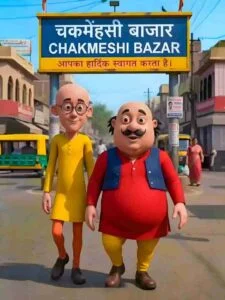
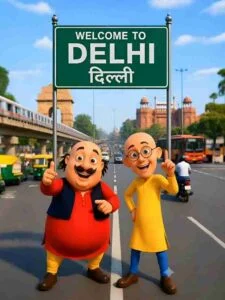
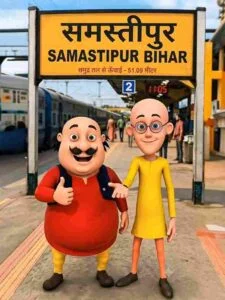
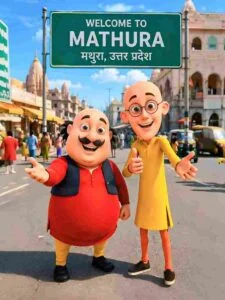
Edit ONLY the uploaded image. Do NOT recreate, redraw, regenerate, restyle, or change anything else. Keep the image 100% identical. Preserve the exact Motu and Patlu characters, faces, expressions, clothes, body positions, background, road, lighting, colors, camera angle, composition, and every other detail exactly as in the original image. ONLY replace the text written on the green signboard with: WELCOME To[SAMASTIPUR][ समस्तीपुर में आपका स्वागत है].. Do not change the size, shape, color, design, or position of the signboard. Do not add or remove any objects. The final image should look exactly like the original photo, with only the signboard text replaced. Keep the new text perfectly centered, sharp, readable, and correctly spelled.
How to Create Motu Patlu AI Video Using a Photo?
After your Motu Patlu AI photo is ready, you can easily turn it into an animated video using AI video generation tools. Simply upload the image to platforms like Gemini, Flow AI, or the YouTube Create App and use their Image-to-Video feature to add motion, expressions, and realistic animations.
These AI tools can transform a single photo into an engaging talking video within minutes. With the right prompt and voice effects, you can create a professional-looking Motu Patlu AI video that is perfect for Instagram Reels, YouTube Shorts, and Facebook Reels.
Motu Patlu AI Video Prompt
Create a 10-second ultra-realistic 3D animated selfie vlog using the uploaded image as the exact reference. Keep Motu, Patlu, their clothes, expressions, and the highway background unchanged. Add natural lip-sync, blinking, facial expressions, hand gestures, and slight handheld camera movement. Motu smiles, waves, and says: ““हेलो दो, मैं मोटू हूँ। आज मैं समस्तीपुर शहर घूमने आया हूँ। यहाँ का माहौल बहुत बढ़िया है। आज मैं समस्तीपुर का गरमा गरम समोसा खाऊंगा। Now Patlu speaks.”दोस्तों, यह शहर बहुत ही सुंदर है। अगर मौका मिले, तो यहाँ ज़रूर आइए!” Add realistic highway ambience, passing vehicles, birds, light wind, cinematic lighting, smooth animation, 4K, vertical 9:16.
Create the Video
Upload your prepared Motu Patlu AI photo to your preferred AI video tool and describe the actions you want the characters to perform. For example, you can ask Motu and Patlu to wave, smile, look at each other, or speak while facing the camera. Use the video prompt provided in this section and customize the dialogue to match your village, city, or any location.
Once the AI generates the video, you can enhance it by adding background music, sound effects, subtitles, and smooth transitions. Finally, export the video in 1080p or higher resolution to achieve the best quality for Instagram Reels, YouTube Shorts, and Facebook Reels.
Frequently Asked Questions
What is Motu Patlu AI Video Editing?
It is an AI-based editing method that turns Motu Patlu images into animated talking videos.
Which AI tools can create these videos?
Popular tools include ChatGPT, Gemini, Flow AI, and YouTube Create.
Can I add my village or city name?
Yes, you can edit the signboard text with your preferred village, city, or location name.
Do I need AI editing experience?
No. Beginners can create these videos by following simple prompts and AI tools.
Which platforms are best for sharing these videos?
Instagram Reels, YouTube Shorts, and Facebook Reels are the most popular platforms.
Can I create Motu Patlu AI videos for free?
Yes, many AI tools offer free features, while premium plans provide higher-quality results and advanced options.
Conclusion
Instagram Viral Motu Patlu AI Video Editing is a fun and creative way to produce engaging content with the help of modern AI tools. By using the right image editing and AI video generation prompts, you can easily create personalized videos featuring your village, city, or any favorite location. Follow the steps shared in this guide, customize the prompts to match your ideas, and create high-quality AI videos that have the potential to attract more views on Instagram Reels, YouTube Shorts, and Facebook Reels.
